Navigation
Vault access. Public access is not open. This product is separate from initial Identity and Apparatus access.
Screenshots use fictional demonstration accounts. Your data and available actions may differ. Reviewed October 16, 2026.
Everyday work
Rename, merge or remove tags
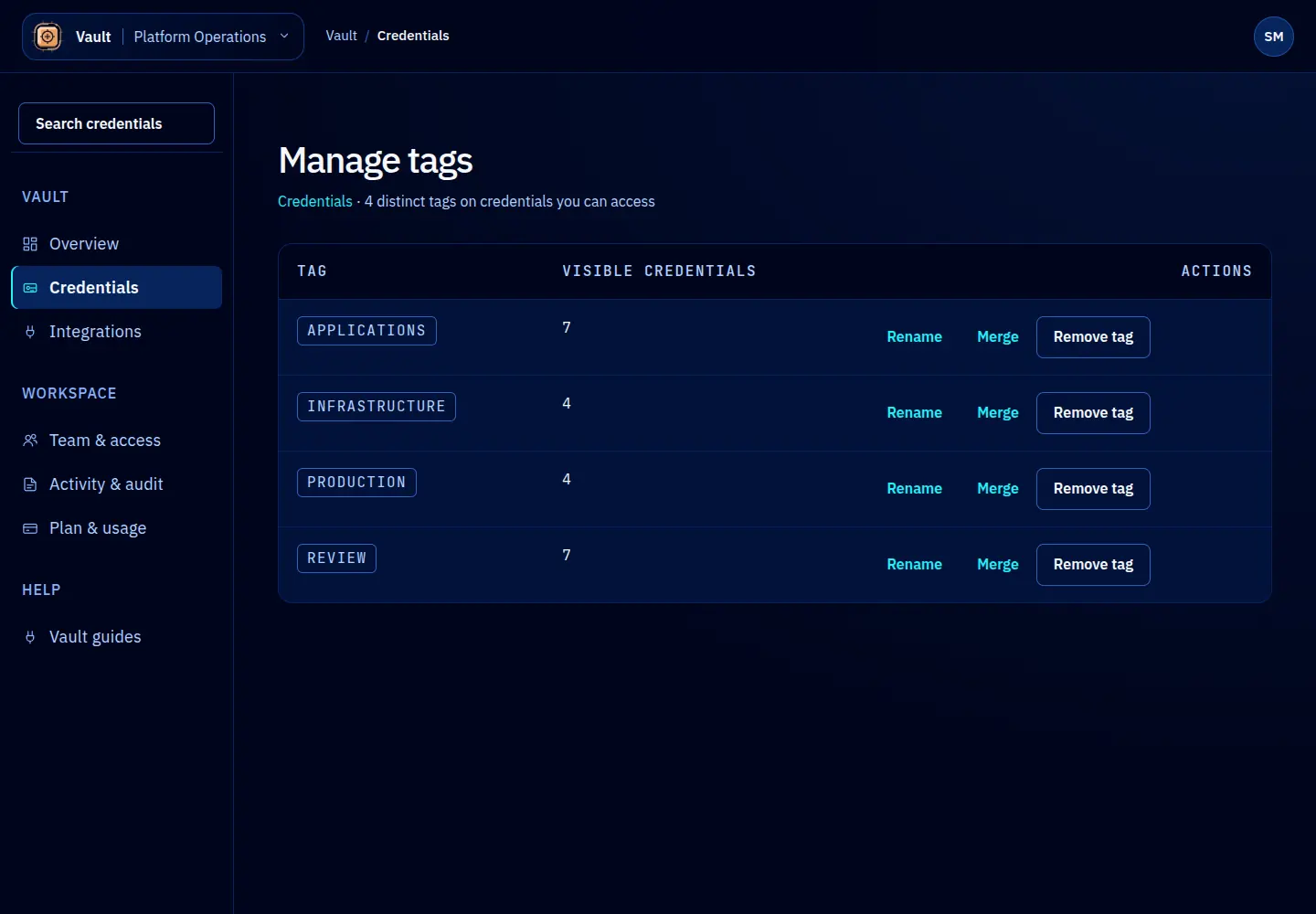
Open Manage tags from Credentials. Each row shows a tag and the number of visible credentials using it. The count is scoped to your access, while a tag operation can affect matching records across the workspace.
Rename a tag
Select Rename, enter the replacement and review the confirmation. Use this for a spelling correction or a clearer label. Tag changes do not change credential keys or secret values.
Merge duplicate tags
Select Merge on the tag you want to retire. Choose a destination deliberately; the dialog starts without one. Confirm which label will remain before selecting Merge. Records using the source tag adopt the destination.
Remove a tag
Select Remove tag and read the consequences. This removes the tag association, not the credential. These bulk changes require access to each affected credential. A permission error can mean there are matching records outside your visible count.
There is no automatic undo for bulk tag changes. If a request fails, reload the list and inspect the current state before repeating it. Do not assume a visible count describes every affected record.
Screen reference