Navigation
Screenshots show the released Identity interface with fictional demonstration accounts. Reviewed October 15, 2026.
Start here
Identity tutorials
Identity is where you sign in to GhostStack, manage your account and choose the workspace you are working in. It also gives workspace administrators their membership and billing controls, and platform administrators their separate operator tools.
Choose your path
I am using my own account
- Create and verify your account.
- Sign in and learn the menus.
- Set up two-factor authentication.
- Review your profile and email, sessions and app connections.
I manage a workspace
- Choose the right workspace.
- Invite teammates and choose their roles.
- Review billing and workspace settings.
I administer GhostStack
Start with platform administration. These screens require the separate super-admin role and two-factor verification. Being an Admin in a workspace does not give platform access.
What the interface shows
The top-left menu chooses your tool and workspace. The left sidebar contains the controls for the current tool. Your account menu is at the top right.
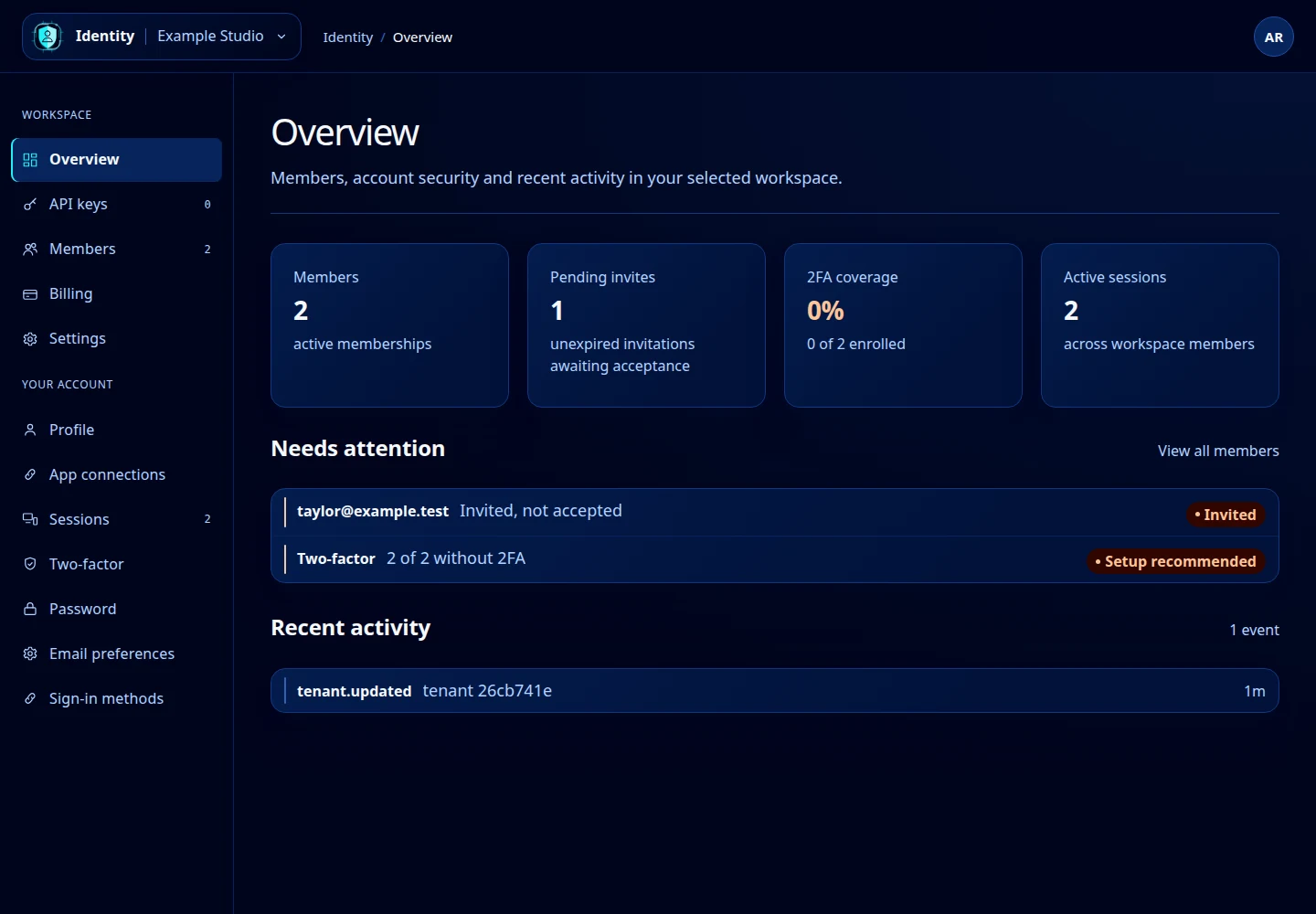
Open this screenshot at full size.
Using these guides
Every screenshot is an actual capture of the released interface using fictional demonstration accounts. Example names, counts and addresses will differ from yours. Select a screenshot or its full-size link to inspect it. On a phone, open Navigation above the article to choose another tutorial.
A tool appearing in a guide does not grant access to it. The menu reflects your account’s permissions and the tool’s availability. For browser pairing and AI client setup, continue to the separate Pilot guides.
If you are stuck, use Identity troubleshooting.