Navigation
credential-types
SSH Keys
SSH keys in Vault
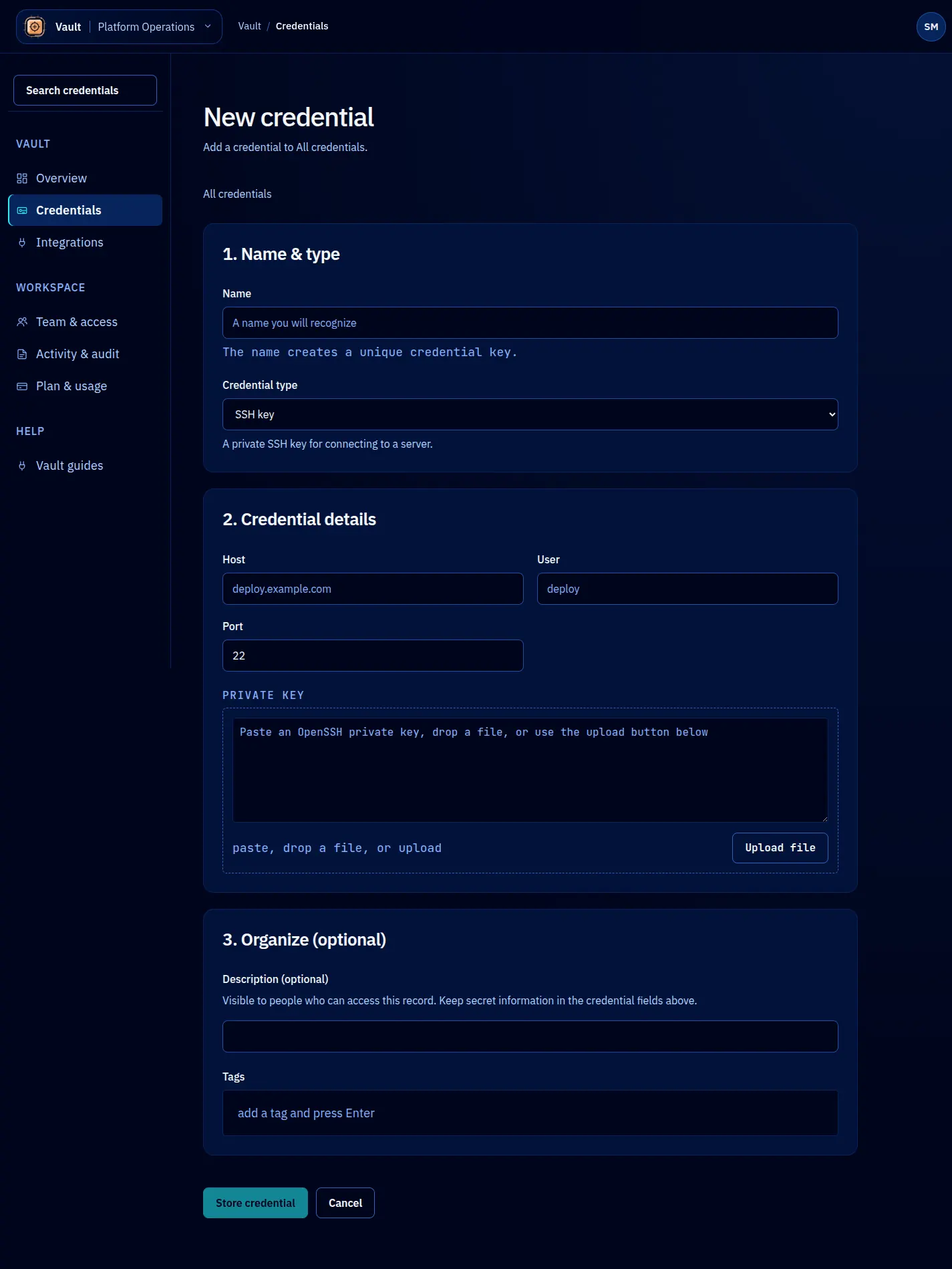
SSH keys are used for server access, git operations over SSH, and automated deployments. Vault stores the private key as an ssh-key credential and extracts structural metadata (algorithm, fingerprint, key size) automatically during storage.
Storing an SSH key
await vault.credentials.create({
name: 'deploy-key-prod',
type: 'ssh-key',
value: `-----BEGIN OPENSSH PRIVATE KEY-----
b3BlbnNzaC1rZXktdjEAAAA...
-----END OPENSSH PRIVATE KEY-----`,
metadata: {
host: 'prod.example.com',
username: 'deploy',
environment: 'production',
passphrase: 'optional-passphrase-here',
},
policy: {
defaultLeaseTTL: '30m',
maxLeaseTTL: '2h',
maxLeases: 1, // Only one agent should deploy at a time
},
});
The private key goes in the value field. If the key has a passphrase, store it in metadata. Both are encrypted with the same encryption envelope.
Validation
Vault validates SSH keys on storage:
- The value must begin with a recognized PEM header (
-----BEGIN OPENSSH PRIVATE KEY-----,-----BEGIN RSA PRIVATE KEY-----, or-----BEGIN EC PRIVATE KEY-----). - The key must parse successfully. Corrupted or truncated keys are rejected.
- The algorithm is extracted and recorded: RSA, Ed25519, or ECDSA.
If validation fails, the credential is not stored and Vault returns a descriptive error indicating what went wrong.
Extracted metadata
When you store an SSH key, Vault automatically extracts and adds these fields to the credential’s metadata:
| Field | Description | Example |
|---|---|---|
algorithm | Key algorithm | ed25519 |
fingerprint | SHA-256 fingerprint of the public key | SHA256:abc123... |
keySize | Key size in bits (RSA only) | 4096 |
hasPassphrase | Whether the key is passphrase-protected | true |
These extracted fields are merged with any metadata you provide. Your metadata takes precedence if there are key conflicts.
Leasing SSH keys for deployment
A typical deployment workflow with Vault:
// Agent requests the deploy key with a short lease
const lease = await vault.leases.create({
credentialName: 'deploy-key-prod',
ttl: '15m',
identity: {
type: 'agent',
name: 'claude-code',
purpose: 'Deploying commit abc123 to production',
},
});
// Write the key to a temporary file for ssh-agent
const tmpKeyPath = '/tmp/deploy-key';
await fs.writeFile(tmpKeyPath, lease.value, { mode: 0o600 });
// Use the key
await exec(`ssh -i ${tmpKeyPath} deploy@prod.example.com ./deploy.sh`);
// Clean up immediately; don't wait for lease expiry
await fs.unlink(tmpKeyPath);
Setting maxLeases: 1 on the credential policy ensures that only one agent can hold the deploy key at a time, preventing concurrent deployment conflicts.
Public key storage
Vault stores private keys. If you want to keep the corresponding public key for reference, add it as metadata:
metadata: {
publicKey: "ssh-ed25519 AAAAC3NzaC1lZDI1NTE5AAAA... deploy@prod",
}
The public key is not secret, but storing it alongside the private key makes it easy to find the matching pair when setting up authorized_keys on a server.
Key rotation
SSH key rotation in Vault follows the same pattern as other credential types:
- Generate a new key pair.
- Add the new public key to the target server’s
authorized_keys. - Rotate the credential in Vault with the new private key.
- Existing leases continue using the old key until they expire.
- Remove the old public key from the server after all leases have expired.
await vault.credentials.rotate({
name: 'deploy-key-prod',
newValue: newPrivateKey,
metadata: {
publicKey: newPublicKey,
},
});