Navigation
credential-types
Database URLs
Database URLs in Vault
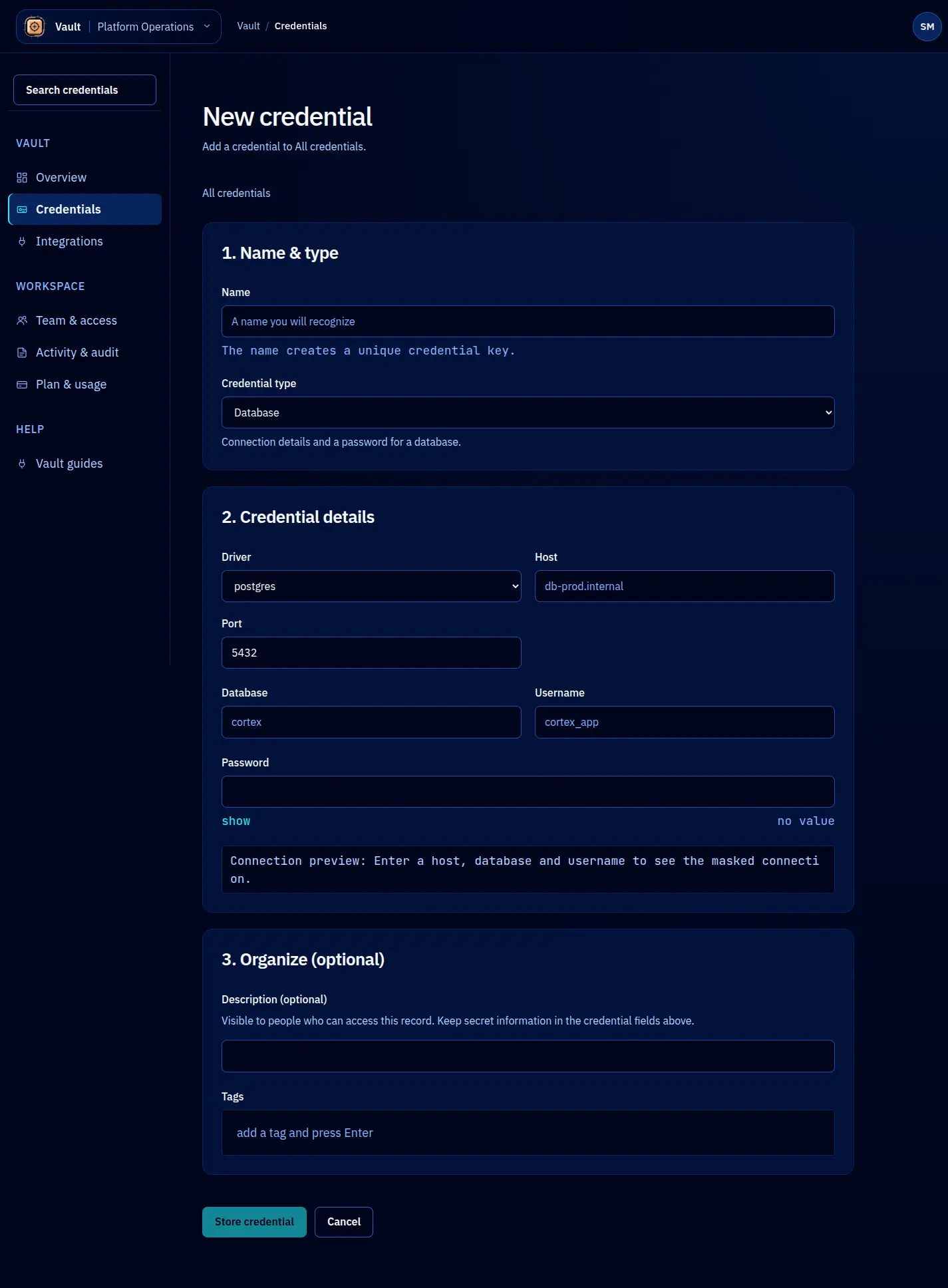
Database connection strings combine multiple sensitive components: username, password, host, port, and database name. Vault stores them as a single database-url credential and parses the URL to extract structured metadata, so you can search and filter by host, driver, or environment without decrypting the credential.
Storing a database URL
await vault.credentials.create({
name: 'prod-postgres-primary',
type: 'database-url',
value: 'postgresql://app_user:s3cret@db-primary.internal:5432/myapp?sslmode=require',
metadata: {
environment: 'production',
team: 'backend',
role: 'read-write',
},
policy: {
defaultLeaseTTL: '30m',
maxLeaseTTL: '2h',
maxLeases: 10,
},
});
Validation
Vault validates database URLs on storage:
- The value must be a valid URL with a recognized database scheme.
- Supported schemes:
postgresql://,postgres://,mysql://,mongodb://,mongodb+srv://,redis://,rediss://,mssql://,sqlite:. - The URL must include a host component (except for SQLite, which uses a file path).
If the URL is malformed or uses an unrecognized scheme, Vault rejects the credential with a descriptive error.
Extracted metadata
Vault parses the database URL and adds these fields:
| Field | Description | Example |
|---|---|---|
driver | Database driver/protocol | postgresql |
host | Database server hostname | db-primary.internal |
port | Connection port | 5432 |
database | Database name | myapp |
username | Connection username | app_user |
ssl | Whether SSL/TLS is configured | true |
The password is not extracted into metadata. It remains only in the encrypted credential value.
Leasing for agent workflows
Database URLs are frequently needed by AI agents running migrations, analyzing schemas, or executing queries. Short leases limit how long the agent holds the connection string:
const lease = await vault.leases.create({
credentialName: 'prod-postgres-primary',
ttl: '15m',
identity: {
type: 'agent',
name: 'claude-code',
purpose: 'Running database migration',
},
});
// Connect to the database
const pool = new Pool({ connectionString: lease.value });
await pool.query('SELECT 1');
For read-only operations, store a separate credential with a read-only database user and a more permissive TTL. This lets you apply the principle of least privilege at the Vault level:
// Read-only credential with longer TTL
await vault.credentials.create({
name: 'prod-postgres-readonly',
type: 'database-url',
value: 'postgresql://readonly_user:r3adonly@db-replica.internal:5432/myapp',
policy: {
defaultLeaseTTL: '1h',
maxLeaseTTL: '4h',
},
});
Multiple environments
A common pattern is storing separate credentials per environment and using a naming convention:
prod-postgres-primary
staging-postgres-primary
dev-postgres-primary
You can list credentials by metadata to find all database URLs for a specific environment:
const prodDatabases = await vault.credentials.list({
type: 'database-url',
filter: { 'metadata.environment': 'production' },
});
Rotation
Database credential rotation typically involves two database users:
- Create a new database user (or change the password of the existing one).
- Rotate the credential in Vault with the updated connection string.
- Active leases continue using the old connection string until they expire.
- Drop the old database user after all old leases have expired.
await vault.credentials.rotate({
name: 'prod-postgres-primary',
newValue: 'postgresql://app_user_v2:n3wpass@db-primary.internal:5432/myapp?sslmode=require',
});
For more on credential lifecycle states during rotation, see Credential Model.