Navigation
reference
Audit Log Reference
Overview
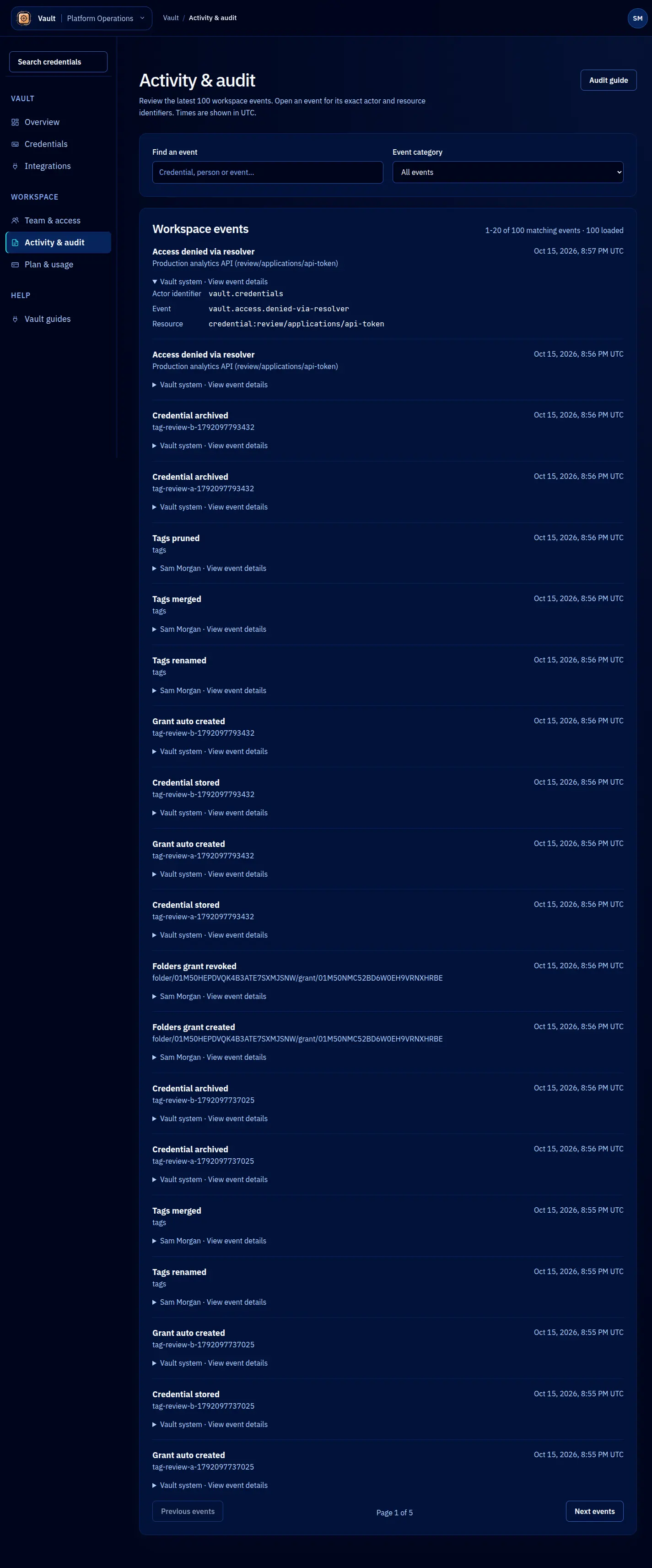
Vault records every credential access, lease operation, policy change, and administrative action in an immutable audit log. Entries cannot be modified or deleted by any user, including tenant admins. The audit log is the authoritative record of who accessed what, when, and why.
Audit entry structure
interface AuditEntry {
id: string; // Unique entry ID
event: string; // Event type (see below)
timestamp: string; // ISO 8601 timestamp
tenantId: string; // Tenant where the event occurred
identity: Identity; // Who performed the action
credentialName?: string; // Affected credential, if applicable
leaseId?: string; // Affected lease, if applicable
details: Record<string, unknown>; // Event-specific details
}
Event types
Credential events
| Event | Description |
|---|---|
credential.created | A new credential was stored |
credential.updated | Credential metadata or policy was modified |
credential.rotated | Credential value was replaced |
credential.revoked | Credential was permanently revoked |
credential.deleted | Credential was deleted from the tenant |
Lease events
| Event | Description |
|---|---|
lease.created | A new lease was issued (credential accessed) |
lease.renewed | An active lease was renewed |
lease.expired | A lease expired naturally |
lease.revoked | A lease was manually revoked |
Access control events
| Event | Description |
|---|---|
acl.updated | Credential-level permissions were changed |
token.created | A new API token was generated |
token.revoked | An API token was revoked |
team.invited | A user was invited to the tenant |
team.removed | A user was removed from the tenant |
team.role_changed | A user’s role was changed |
Tenant events
| Event | Description |
|---|---|
tenant.kek_rotated | The tenant’s key encryption key was rotated |
tenant.settings_updated | Tenant-level settings were changed |
Querying the audit log
SDK
const entries = await vault.auditLog.query({
event: 'lease.created',
credentialName: 'stripe-api-key',
since: '2026-04-01T00:00:00Z',
until: '2026-04-24T23:59:59Z',
limit: 100,
});
for (const entry of entries) {
console.log(`${entry.timestamp} ${entry.identity.type}:${entry.identity.name} ${entry.event}`);
}
Filtering by identity
// All accesses by a specific agent
const agentAccesses = await vault.auditLog.query({
filter: {
'identity.type': 'agent',
'identity.name': 'claude-code',
},
since: '2026-04-24T00:00:00Z',
});
// All accesses by a specific human
const humanAccesses = await vault.auditLog.query({
filter: {
'identity.type': 'human',
'identity.email': 'alice@example.com',
},
});
Filtering by event type
// All credential rotations in the last 30 days
const rotations = await vault.auditLog.query({
event: 'credential.rotated',
since: '2026-03-25T00:00:00Z',
});
// All permission changes
const aclChanges = await vault.auditLog.query({
event: 'acl.updated',
});
Event details
Each event type includes specific fields in the details object:
lease.created details
{
"ttl": "15m",
"expiresAt": "2026-04-24T12:15:00Z",
"purpose": "Calling Stripe API to list charges",
"credentialType": "api-key"
}
credential.rotated details
{
"previousState": "active",
"activeLeases": 2,
"note": "Scheduled quarterly rotation"
}
acl.updated details
{
"credentialName": "prod-db-url",
"change": "Added identity pattern",
"pattern": { "type": "agent", "name": "deploy-agent" }
}
Pagination
Audit log queries return paginated results. Use limit and offset to page through large result sets:
let offset = 0;
const limit = 100;
let hasMore = true;
while (hasMore) {
const entries = await vault.auditLog.query({
event: 'lease.created',
limit,
offset,
});
// Process entries
offset += entries.length;
hasMore = entries.length === limit;
}
Retention
Audit log entries are retained according to the tenant’s plan:
| Plan | Retention period |
|---|---|
| Free | 30 days |
| Pro | 1 year |
| Team | 2 years |
| Enterprise | Custom |
Entries beyond the retention period are archived. Archived entries are not queryable through the SDK but can be exported on request for compliance purposes.
Exporting
The audit log can be exported as JSON or CSV for compliance reviews, incident response, or integration with external SIEM tools:
npx @ghoststack/vault-cli audit-log export \
--tenant my-org \
--token $VAULT_TOKEN \
--since 2026-01-01 \
--format json \
--output audit-2026-q1.json
For continuous export, configure a webhook that receives audit events in real time. See Compliance for regulatory requirements.