Navigation
Vault access. Public access is not open. This product is separate from initial Identity and Apparatus access.
Screenshots use fictional demonstration accounts. Your data and available actions may differ. Reviewed October 16, 2026.
Access and maintenance
Rotate a credential safely
Vault rotation replaces the value stored in Vault. It does not create a replacement at the external provider or revoke a value that has already been copied.
Prepare the replacement
- Issue the new credential at its provider using that provider’s authorized process.
- Decide how consumers will switch and when the provider will revoke the old value.
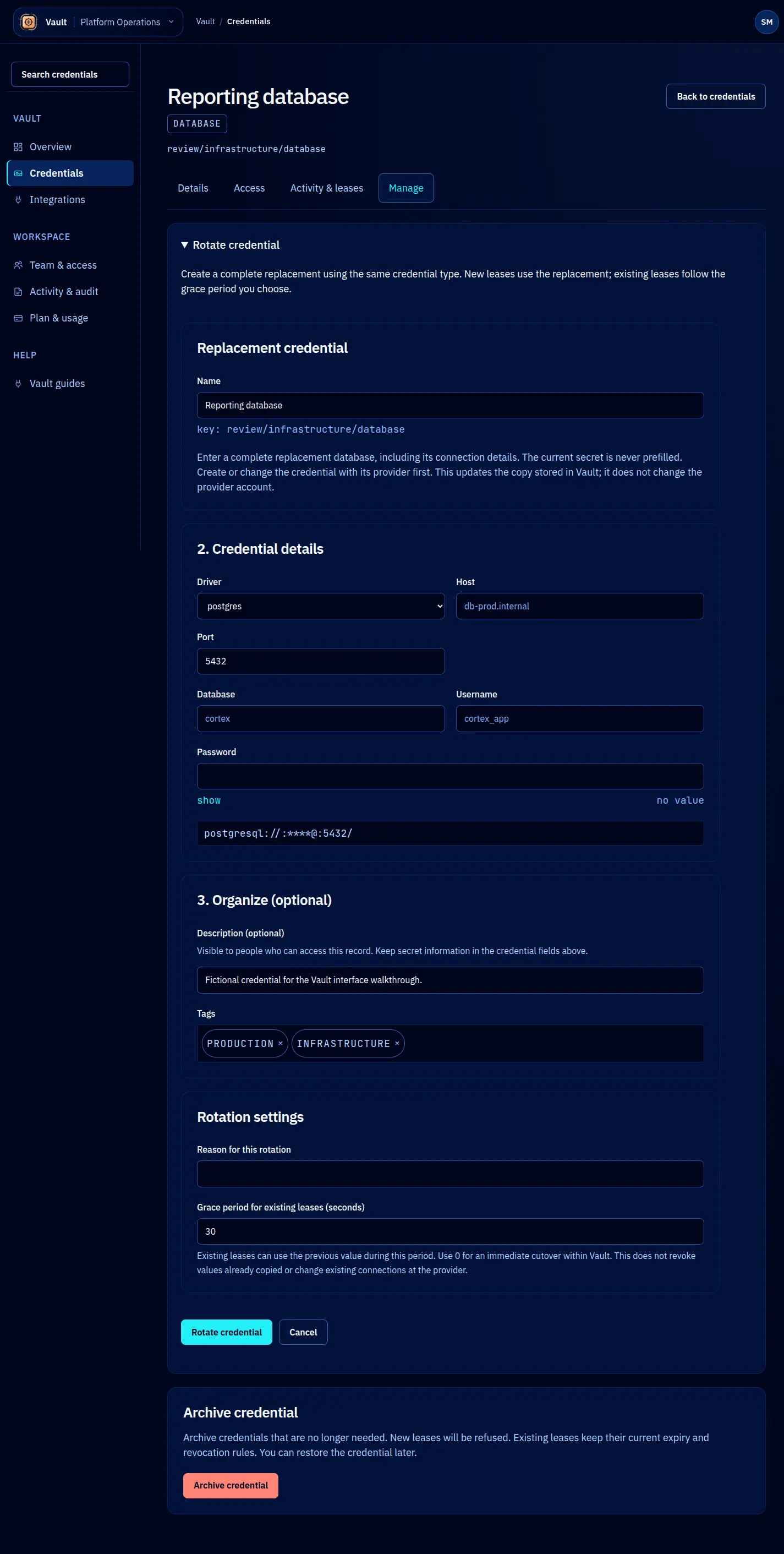
- Open the Vault record, select Manage, then expand Rotate credential.
Save the replacement
The editor uses the record’s type. Fill the complete replacement, including its required connection fields. Existing secrets are never prefilled. For a database, provide the new connection details and password; for TLS, provide the certificate chain and matching private key.
Enter a clear reason. Choose a grace period when appropriate, or zero for an immediate Vault cutover. The grace window governs Vault’s rotation and outstanding leases; it does not control values already delivered to clients or the provider’s own validity window.
Submit once and check the resulting state and Activity. Verify a permitted consumer works with the replacement, then finish the provider-side revocation according to your plan. If a request fails, inspect the record before retrying so you do not create an unintended second rotation.
The underlying rotation service can restore the previous ciphertext and matching public metadata when a supported rotation is aborted. The console does not offer a general-purpose rollback button. Contact the operator for an interrupted rotation rather than guessing at an undocumented command.
Screen reference