Navigation
Vault access. Public access is not open. This product is separate from initial Identity and Apparatus access.
Screenshots use fictional demonstration accounts. Your data and available actions may differ. Reviewed October 16, 2026.
Start here
Find your workspace and tools
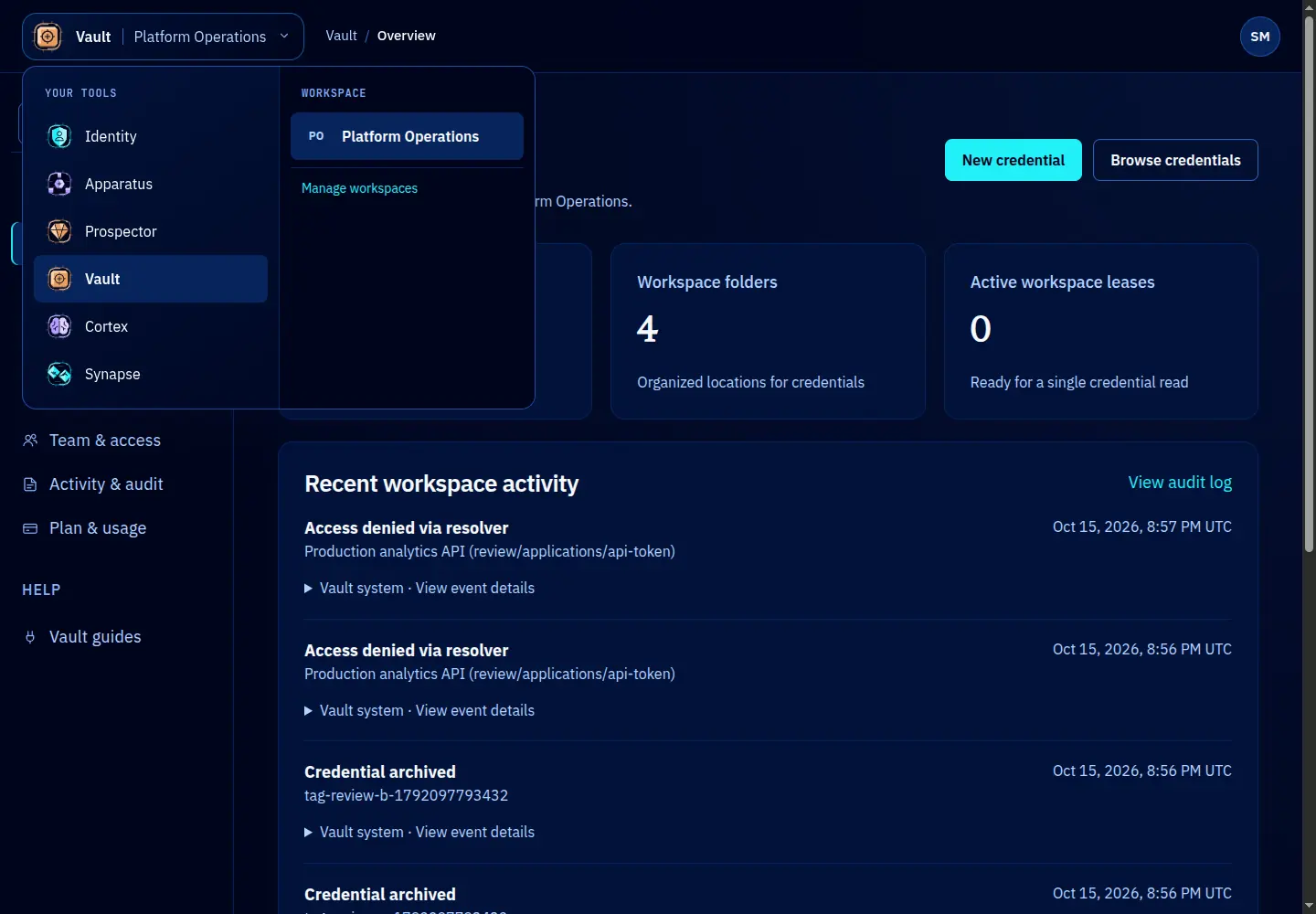
The top bar and left navigation have different jobs. Identity supplies the tools and workspace memberships you may use. Vault supplies its credential-management sections.
Use the top bar
- Open the top-left tool menu to switch services. Only tools returned by Identity for your account are listed.
- Check the active workspace. Switching workspaces changes the credentials, team, activity and usage you see.
- Open the account menu on the right for your account identity and sign-out control. The displayed name comes from Identity; audit records retain stable identifiers.
A visible tool does not grant access to every record inside it. Vault also checks workspace roles, credential grants and folder inheritance. If Vault is absent, changing the URL will not grant access.
Use Vault navigation
Overview summarizes the workspace. Credentials is where you find and maintain records. Integrations explains client setup. Team & access manages Vault roles, while Activity & audit shows recorded events. Plan & usage is available to workspace owners and platform operators.
The header and desktop sidebar stay in place while the main content scrolls. On narrow screens, open Menu to reach the sections and search. The workspace name remains visible in the page content.
Use the folder breadcrumb to move up within credentials. Use a record’s Details, Access, Activity and Manage tabs to stay with that record. If a page says it is unavailable, check the workspace and your access before retrying.
Screen reference