Navigation
Vault access. Public access is not open. This product is separate from initial Identity and Apparatus access.
Screenshots use fictional demonstration accounts. Your data and available actions may differ. Reviewed October 16, 2026.
Clients
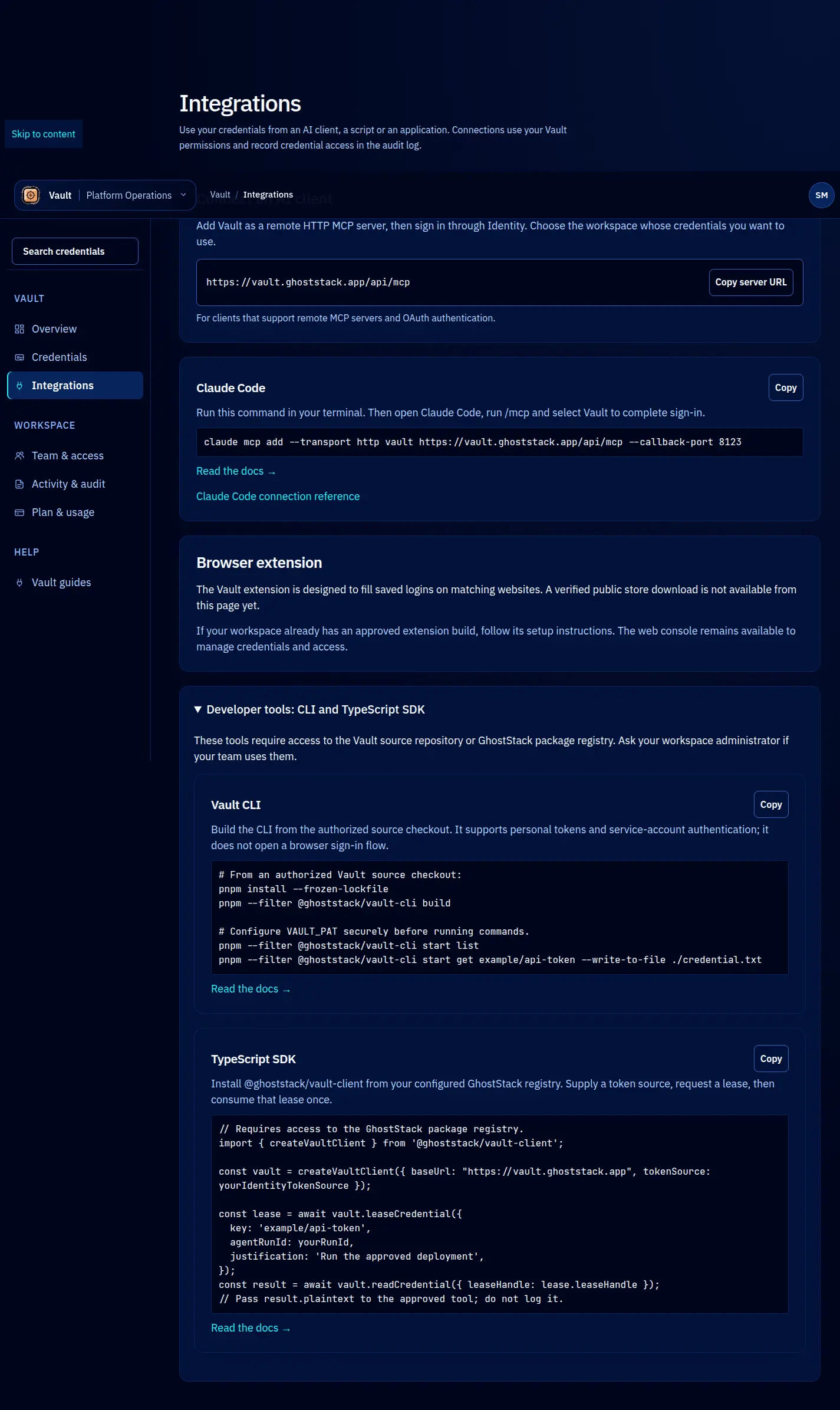
Use the Vault CLI
The CLI is available from an authorized Vault source checkout. The package is @ghoststack/vault-cli; these instructions do not claim a public npm installer.
Prepare and inspect
pnpm install --frozen-lockfile
pnpm --filter @ghoststack/vault-cli build
pnpm --filter @ghoststack/vault-cli start -- --help
Configure an authorized Identity PAT through a secure environment as VAULT_PAT; the CLI also supports operator-provisioned M2M credentials. Do not put a real token in an example, shell history or repository. vault login can write local configuration; it is not browser OAuth.
pnpm --filter @ghoststack/vault-cli start whoami
pnpm --filter @ghoststack/vault-cli start list
pnpm --filter @ghoststack/vault-cli start get example/api-token --write-to-file ./credential.txt
Replace the example key with the permitted record’s exact key. get asks before revealing; a file result contains plaintext and is restricted to the current user. Keep it out of source control and remove it when finished. Without --write-to-file, the command prints plaintext to standard output, so do not use that mode in a logged or recorded session.
Use a process instead
vault exec can inject a credential as an environment variable, a temporary file or standard input for an approved command. Choose the mode supported by that program and ensure it does not print the value. Typed credentials may require envelope parsing; do not assume the raw response is one usable secret field.
The CLI also provides store, rotate, share and audit. Review --help and the intended scope before any mutation. It has no general password-manager import command. See SDK retrieval for structured records and rotation for provider-side responsibilities.
Screen reference