Navigation
Vault access. Public access is not open. This product is separate from initial Identity and Apparatus access.
Screenshots use fictional demonstration accounts. Your data and available actions may differ. Reviewed October 16, 2026.
Access and maintenance
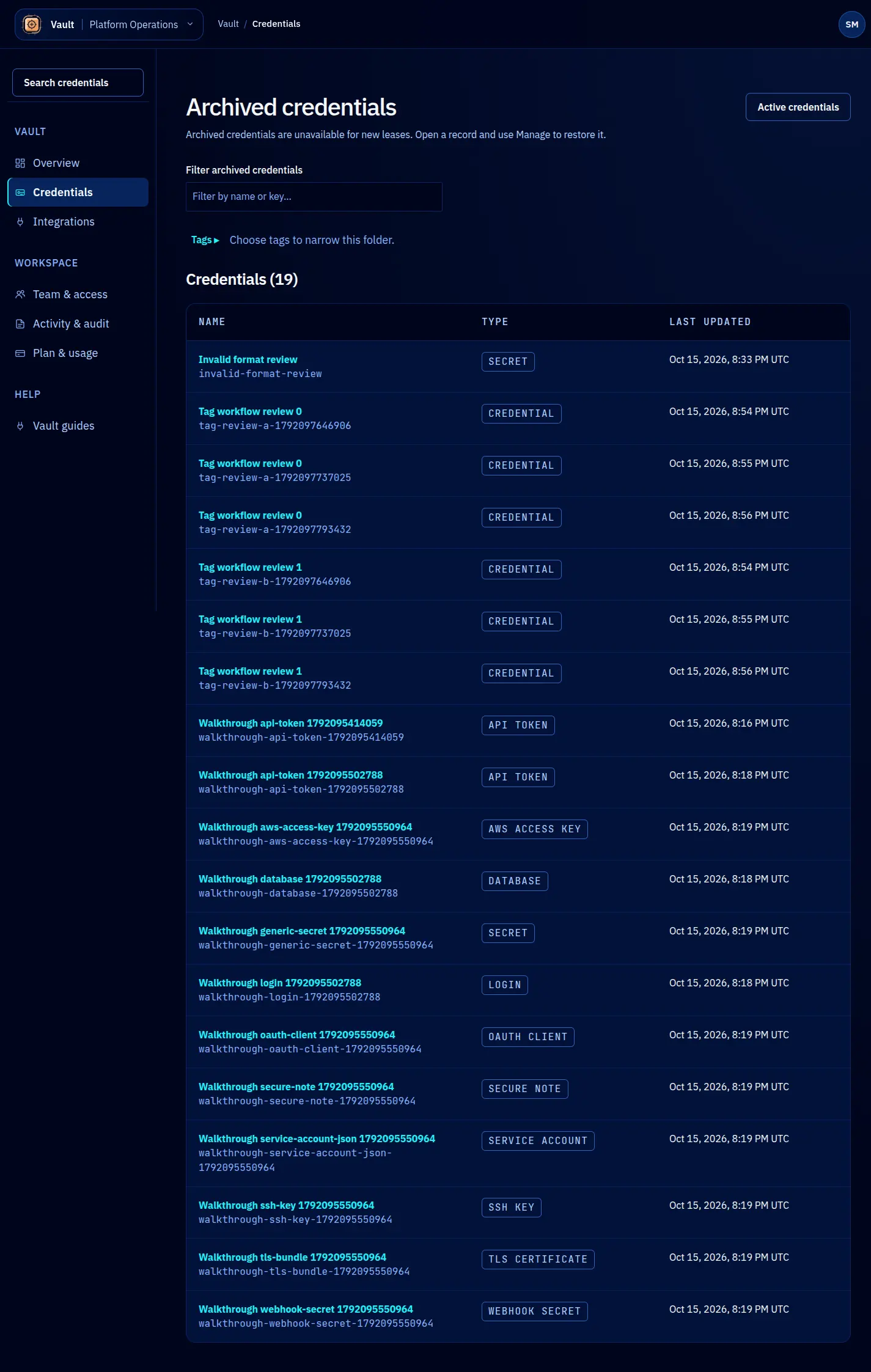
Archive and restore credentials
Archive a credential when it should leave normal active browsing and stop receiving new leases. Archiving does not revoke the credential at its external provider.
Archive a record
- Open the record and check its key and environment.
- Select Manage and read the archive consequences.
- Enter a reason, then confirm the archive action.
- Check Archived credentials from the credential browser to find it again.
If the underlying value is compromised, also revoke or rotate it at the provider. Expiry, lease revocation and archiving cannot retrieve a value already copied by a client.
Restore a record
Open Archived credentials, find the record and use Manage to restore it. You need the appropriate permission. Restore the latest archived record for its key; an older archived version cannot replace a newer active record through this action.
After restoring, verify the connection details and provider validity before using it. A restored Vault record can still contain an expired or externally revoked value. If another record now owns the key, resolve that conflict deliberately rather than renaming or overwriting records blindly.
Screen reference