Navigation
Vault access. Public access is not open. This product is separate from initial Identity and Apparatus access.
Screenshots use fictional demonstration accounts. Your data and available actions may differ. Reviewed October 16, 2026.
Credential types
Store service-account JSON
Use Service-account JSON when the record needs provider-issued json and detected provider context.
Create the record
- Open the intended folder and choose + New credential.
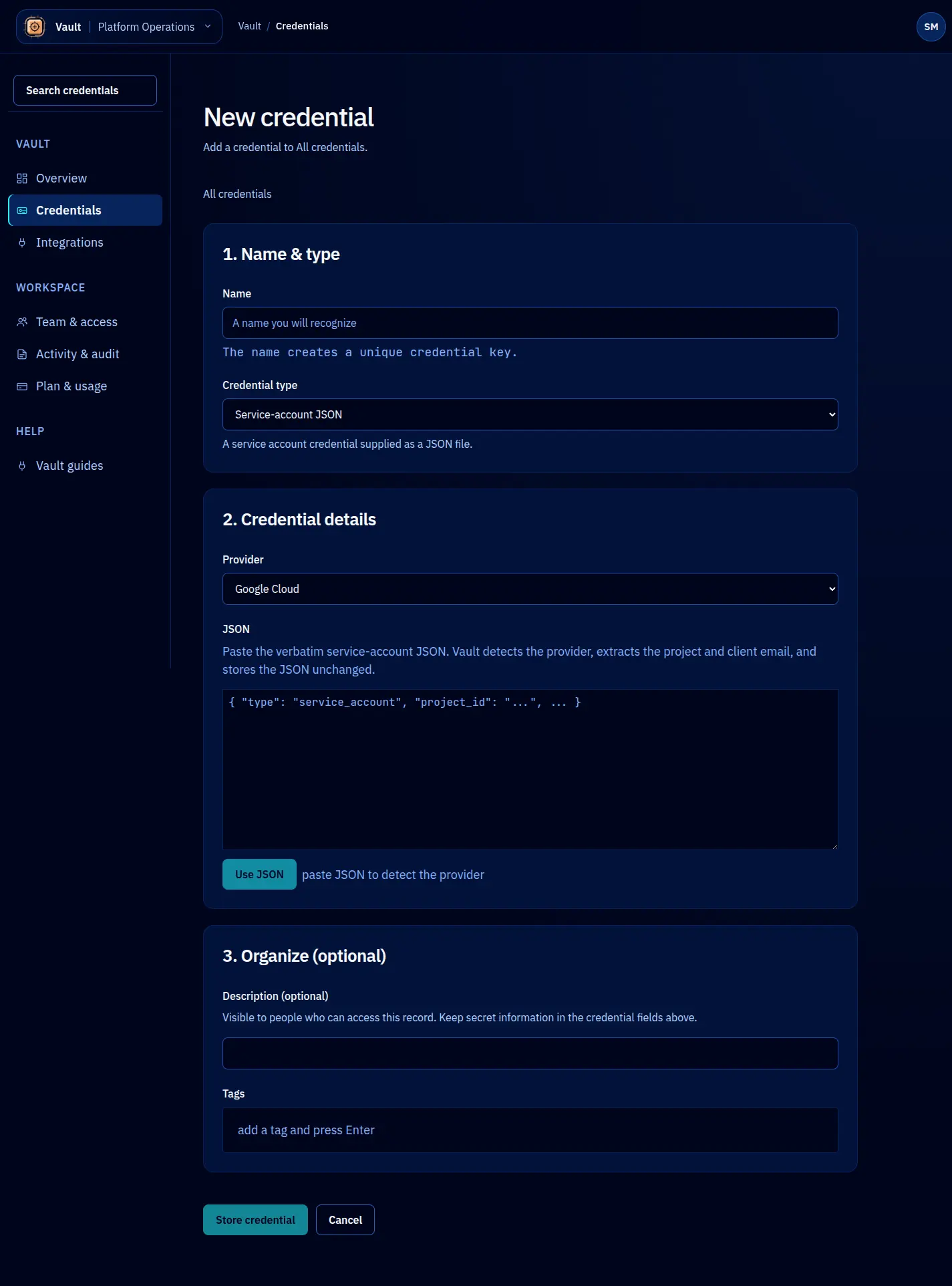
- Choose Service-account JSON from Credential type.
- Enter a recognizable name. Paste the JSON or use the intake, then select Use JSON. Check the detected provider and account context before storing. Generic JSON can use the Other provider.
- Review the storage location, description and tags. Do not place secrets in those metadata fields.
- Select Store credential. An intermediate Use action only accepts that field; it does not save the record.
- Open the saved record and check the name, type and available connection summary.
Validation messages stay with the form so you can correct the input. Switching types changes which fields are required. Recheck the selected type and location before submitting.
Retrieve or maintain it
Copy service account JSON returns the primary value through the audited lease flow. For a complete structured record, use the TypeScript client or CLI. Vault stores the document; it does not create the provider account or verify all of its permissions. Keep private keys and password fields out of descriptions.
Use the record’s Access tab for sharing, Activity for audit and leases, and Manage for rotation or archiving. A replacement requires the full typed record; existing secrets are not prefilled.
Screen reference