Navigation
Prospector access. Public access is not open. This product is separate from initial Identity and Apparatus access.
Screenshots use fictional demonstration accounts. Your data and available actions may differ. Reviewed October 15, 2026.
Deliver work
Record proposal activity
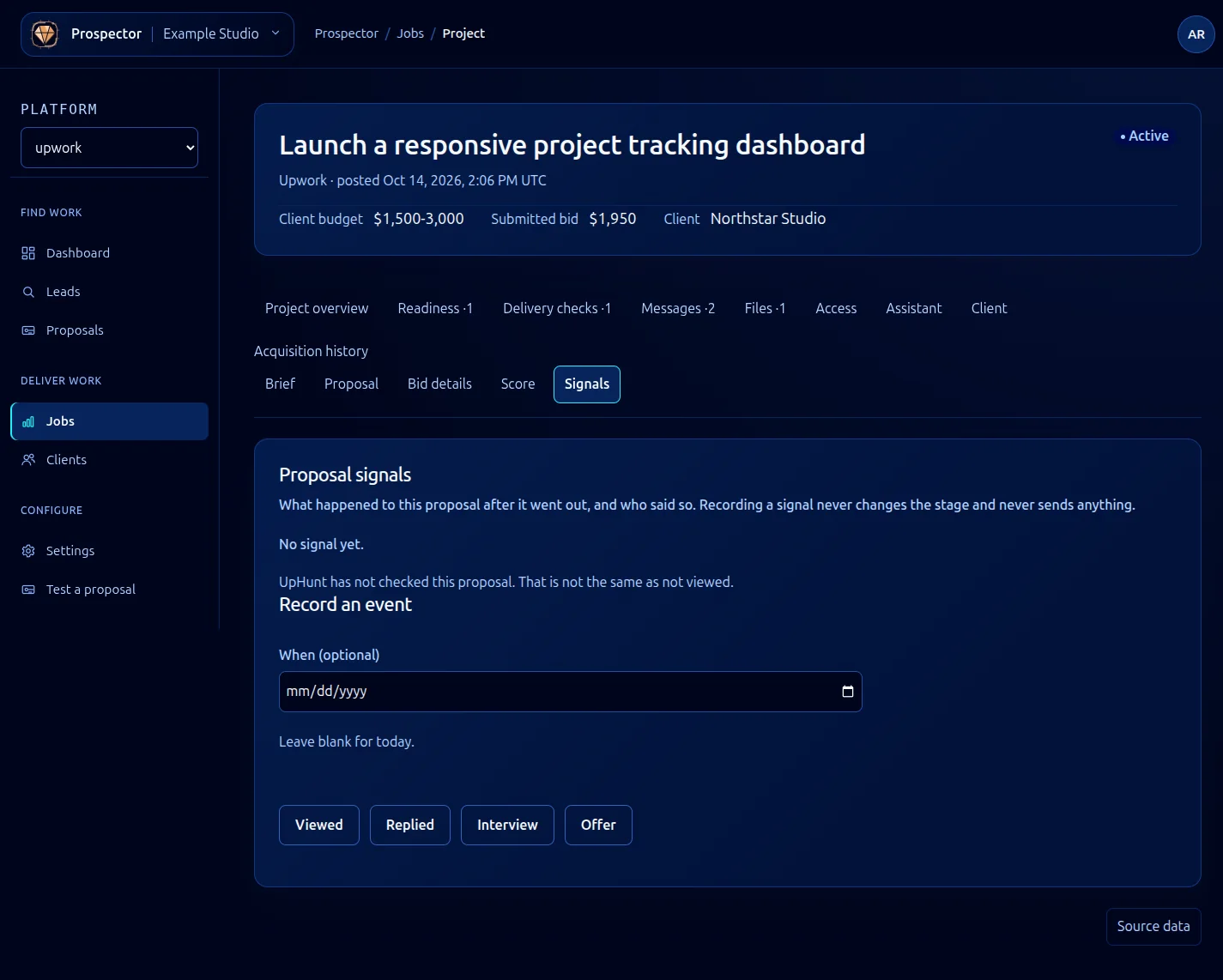
Open the record and select Signals to see what happened after a proposal went out and who recorded it.
- Confirm the activity in the marketplace or another reliable source.
- Enter When (optional) if the event occurred earlier; leave it blank for today.
- Choose Viewed, Replied, Interview or Offer to record the event.
- Read the resulting history and its source information.
Recording a signal does not send anything and does not change the lead or job stage. A reply is not automatically a win. Record a real hire with Mark won when appropriate.
UpHunt has not checked this proposal means the system lacks that observation. It does not mean the client has not viewed it. Avoid filling in guessed negative outcomes to make the history look complete.
For the actual message text, use Messages. For the final business outcome, use Proposal outcomes.
What it looks like