Navigation
Prospector access. Public access is not open. This product is separate from initial Identity and Apparatus access.
Screenshots use fictional demonstration accounts. Your data and available actions may differ. Reviewed October 15, 2026.
Deliver work
Record conversations and draft replies
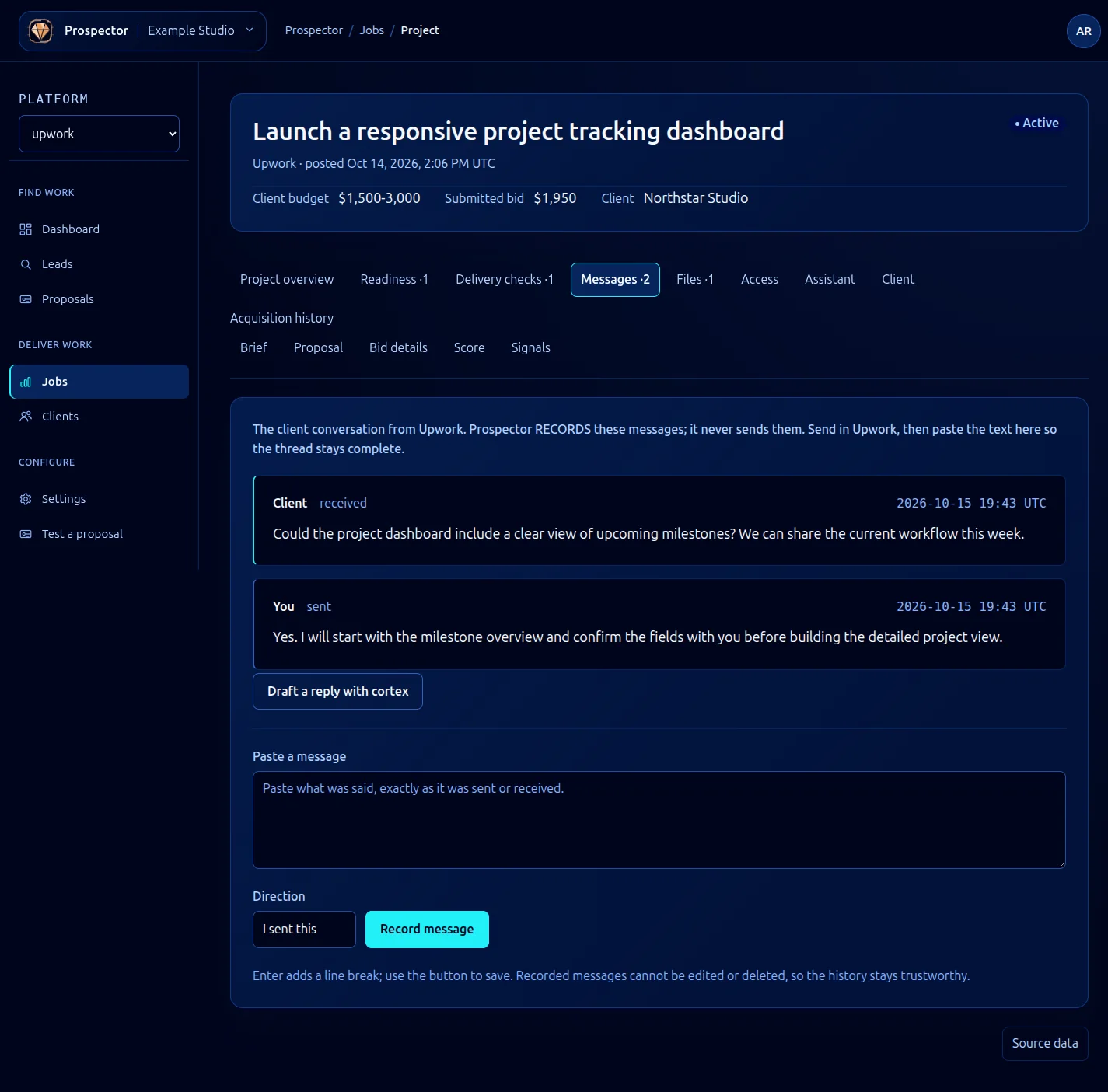
Open a lead or job and select Messages. Prospector records the conversation; it does not send these messages to the client.
- Send or read the real message in Upwork.
- Paste its exact text into Paste a message.
- Choose I sent this or Client sent this under Direction.
- Check both the text and direction, then select Record message.
- Confirm the new entry appears with the expected sender and time.
Enter inserts a line break; the button saves. Recorded entries cannot be edited or deleted through this interface, so check the text before saving.
Draft a reply with cortex requests AI help using the recorded context. Review any generated reply and send it yourself through the marketplace if appropriate, then record what you actually sent. Drafting can use AI processing. A generated suggestion alone is not evidence that a message was sent.
Accurate conversation history also helps the lead assistant and readiness assessment.
What it looks like