Navigation
Prospector access. Public access is not open. This product is separate from initial Identity and Apparatus access.
Screenshots use fictional demonstration accounts. Your data and available actions may differ. Reviewed October 15, 2026.
Configure
Choose which leads pass the filters
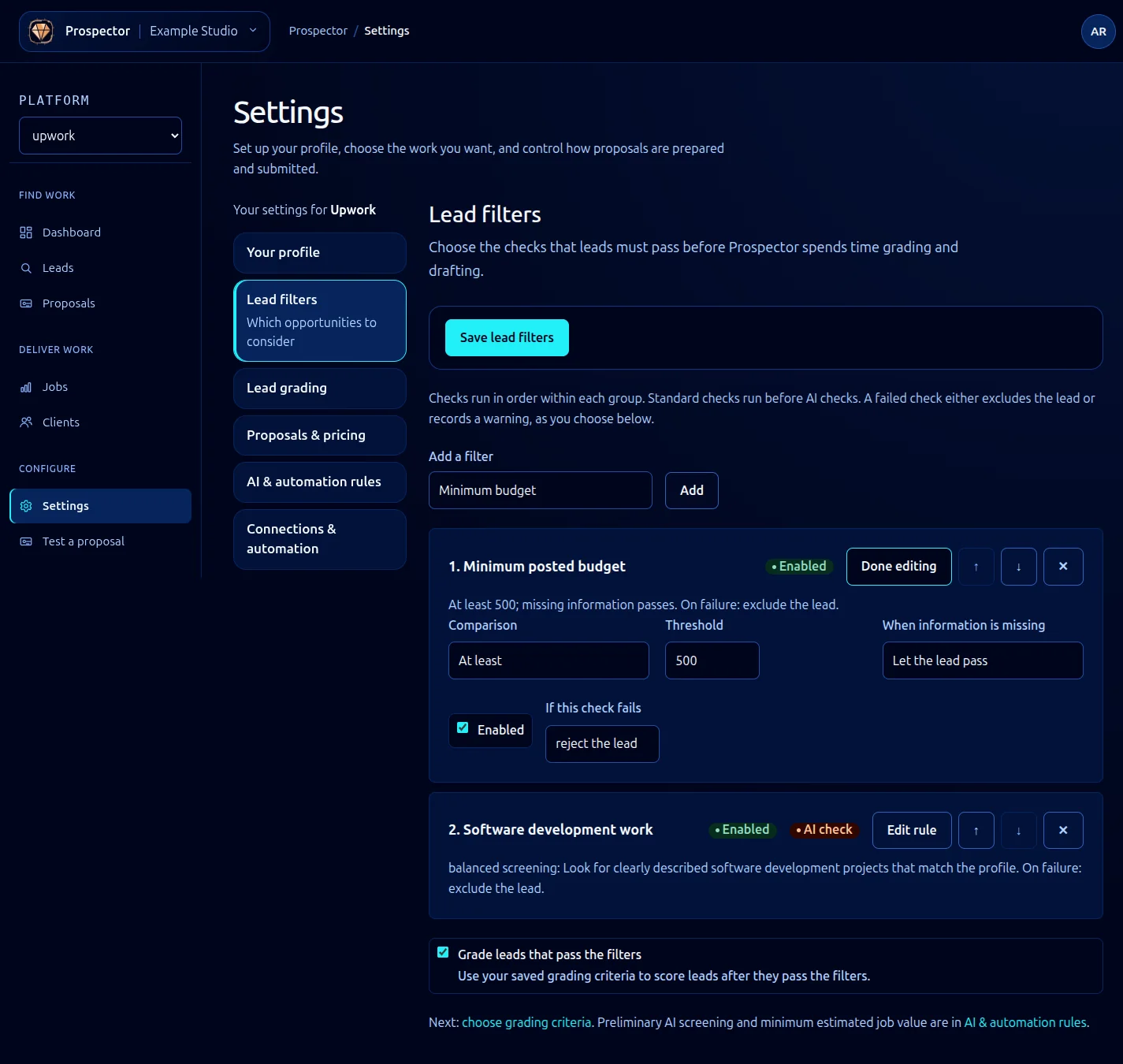
Open Settings → Lead filters. These checks decide which leads continue before grading and drafting.
- Choose a preset under Add a filter and select Add.
- Select Edit rule on the card, then configure its labeled fields. For a minimum budget, choose At least and enter the threshold.
- Where offered, set When information is missing deliberately: pass the lead or reject it.
- Use Enabled to control whether the check runs. Under If this check fails, choose reject the lead or warn only (keep).
- Use the arrow controls to set order or the remove control to discard a check.
- Decide whether Grade leads that pass the filters should be enabled, then select Save lead filters.
Choose the right check
| Kind | Use it for |
|---|---|
| Numeric | Budget, ratings, spend, hire rate or competition thresholds. |
| Client history | Previous hiring, new-client warnings or earlier ignored proposals. |
| Location | Country or location eligibility. |
| Set/list | Skill match and blocked skills. |
| Field | Required facts such as payment verification. |
| Text pattern | Excluded words or matching text rules. |
| Recency | How fresh a posting must be. |
| AI rule | A written criterion requiring AI assessment, with strictness controls. |
Standard checks use deterministic rules. Cards marked AI check use AI processing. Enabled indicates whether a saved rule will run. Use Done editing to collapse a rule without discarding its values; Save lead filters persists the whole policy. Keep rejection rules specific; overly broad conditions can remove good opportunities before they reach grading.
If too much work disappears, inspect Leads → Filtered out, review the relevant rule and its missing-information choice, then save a deliberate adjustment. Changes to the policy do not mean every old lead has automatically been reprocessed.
What it looks like