Navigation
Prospector access. Public access is not open. This product is separate from initial Identity and Apparatus access.
Screenshots use fictional demonstration accounts. Your data and available actions may differ. Reviewed October 15, 2026.
Deliver work
Close, cancel or archive a job
Open the job and open Project overview and review Project actions. Available controls depend on its current stage.
Finish delivery
- Review the Delivery checks and Readiness tabs.
- On an active job, select Review completion.
- If no gaps remain, confirm Mark delivered when the work is delivered.
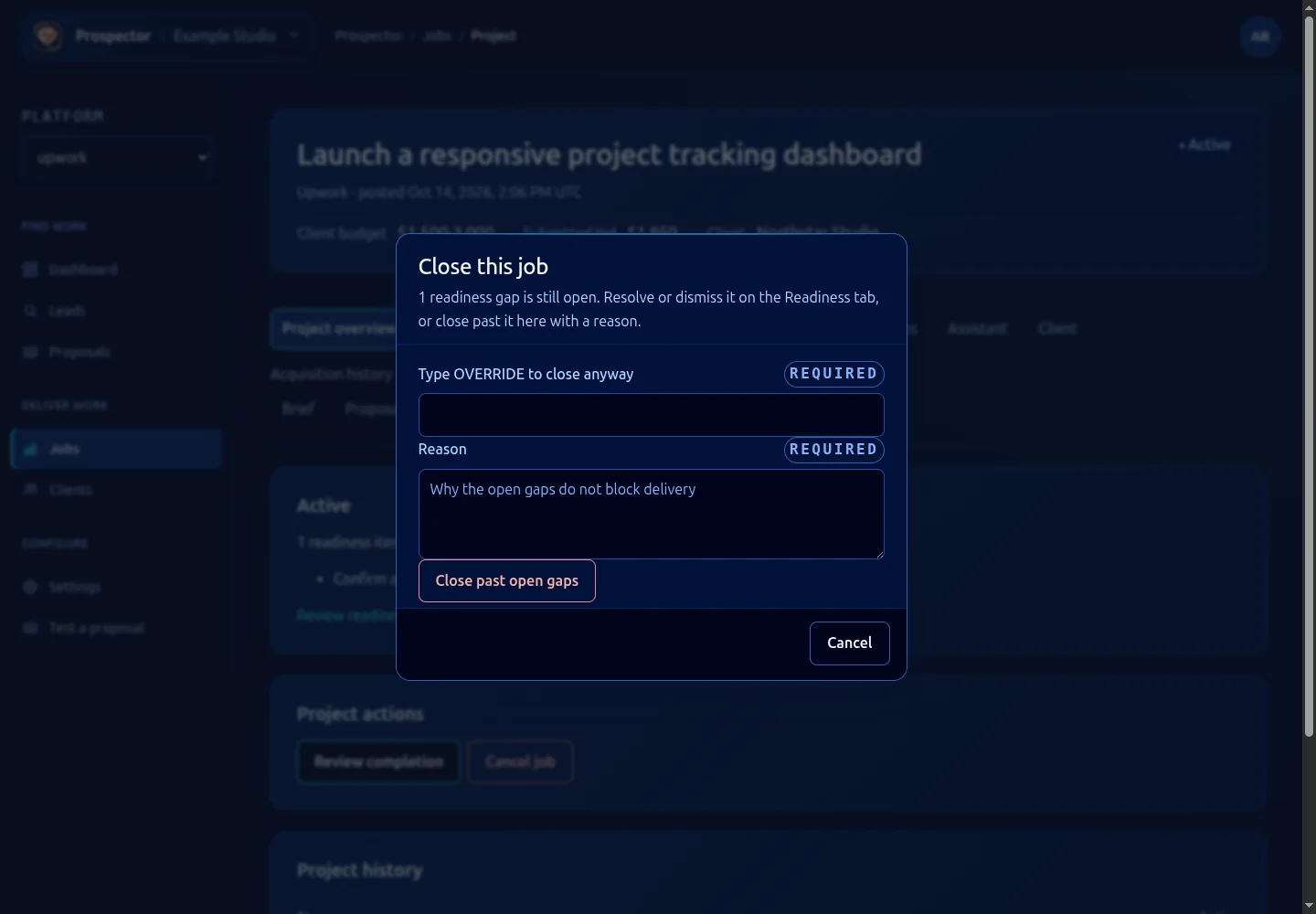
- If gaps remain, select Cancel to return and resolve them, or deliberately complete the displayed override word and reason before choosing Close past open gaps.
- Confirm the job now appears under Closed in the jobs list.
Cancel work
Use Cancel job when the engagement will not be delivered. Enter the required reason and confirm the cancellation. Its history stays with the record. Cancelling a job is different from the Cancel button that dismisses a dialog.
Archive a completed job
After delivery, Archive opens a final confirmation. Archive job locks the record; even the operator override does not move an archived job again. Leave it closed if you still need to update its delivery record.
A super-admin may see Override state for exceptional corrections. This requires a reason and is not part of the normal delivery path. Ordinary workspace membership does not grant that control.
What it looks like