Navigation
Prospector access. Public access is not open. This product is separate from initial Identity and Apparatus access.
Screenshots use fictional demonstration accounts. Your data and available actions may differ. Reviewed October 15, 2026.
Deliver work
Track delivery readiness
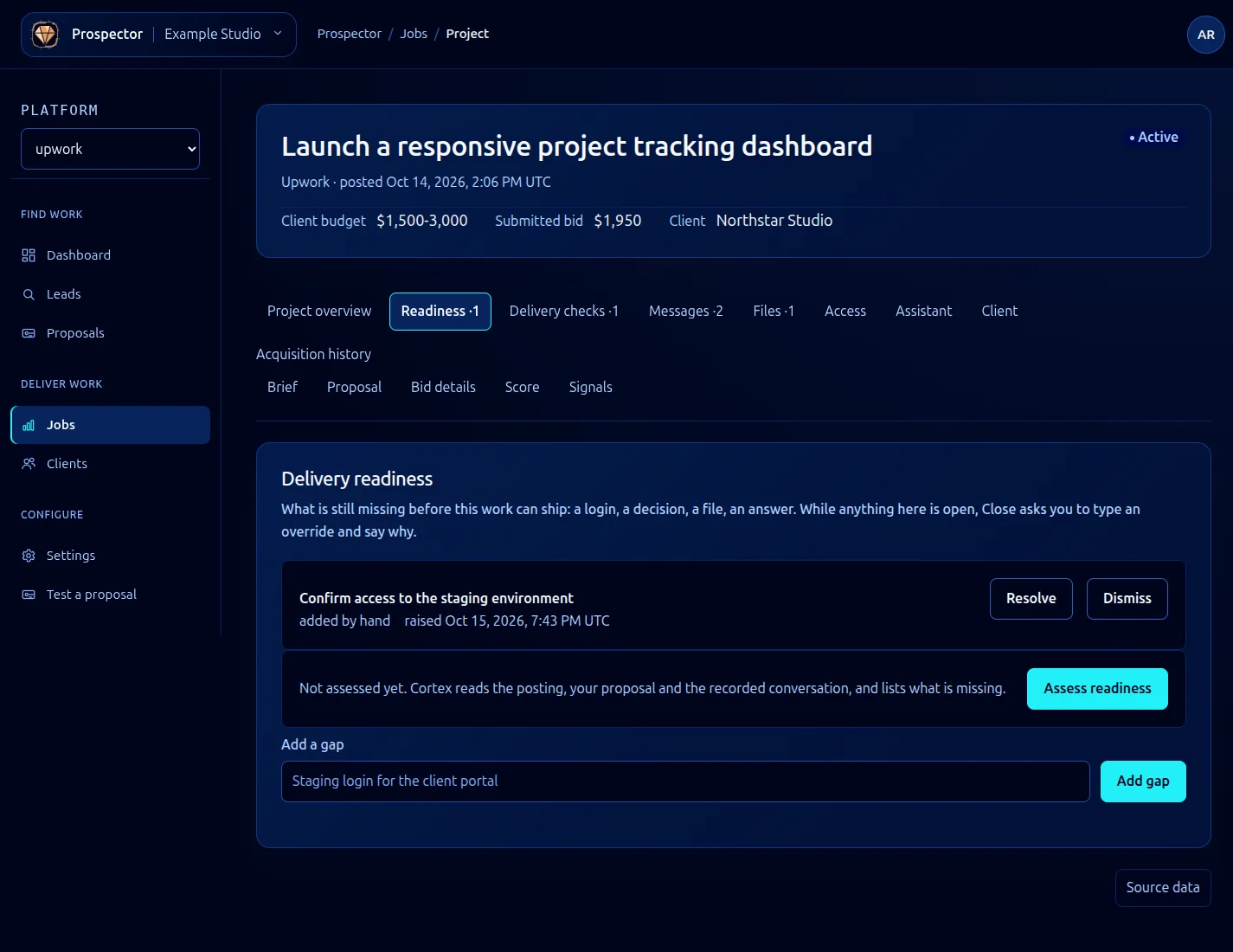
Open a won job and select Readiness. Gaps are things still missing before the work can ship.
- Read existing open gaps before adding another.
- To record something you already know is missing, enter it under Add a gap and select Add gap.
- To request an AI review of the posting, proposal and conversation, select Assess readiness. This uses AI processing.
- Choose Resolve when a gap has been satisfied, or Dismiss when it should no longer block delivery. Read any follow-up fields before confirming.
- Recheck the list before closing the job.
A useful gap states a concrete missing item, for example: “Confirm access to the staging environment.” Keep credential values in Access, not in the gap text.
While gaps remain open, Review completion opens a close confirmation that requires an explicit override and reason. Prefer resolving the actual issue; see Close or archive a job for the available choices. An assessment is guidance, so review it against the real delivery requirements.
What it looks like