Navigation
Prospector access. Public access is not open. This product is separate from initial Identity and Apparatus access.
Screenshots use fictional demonstration accounts. Your data and available actions may differ. Reviewed October 15, 2026.
Find work
Follow proposal outcomes
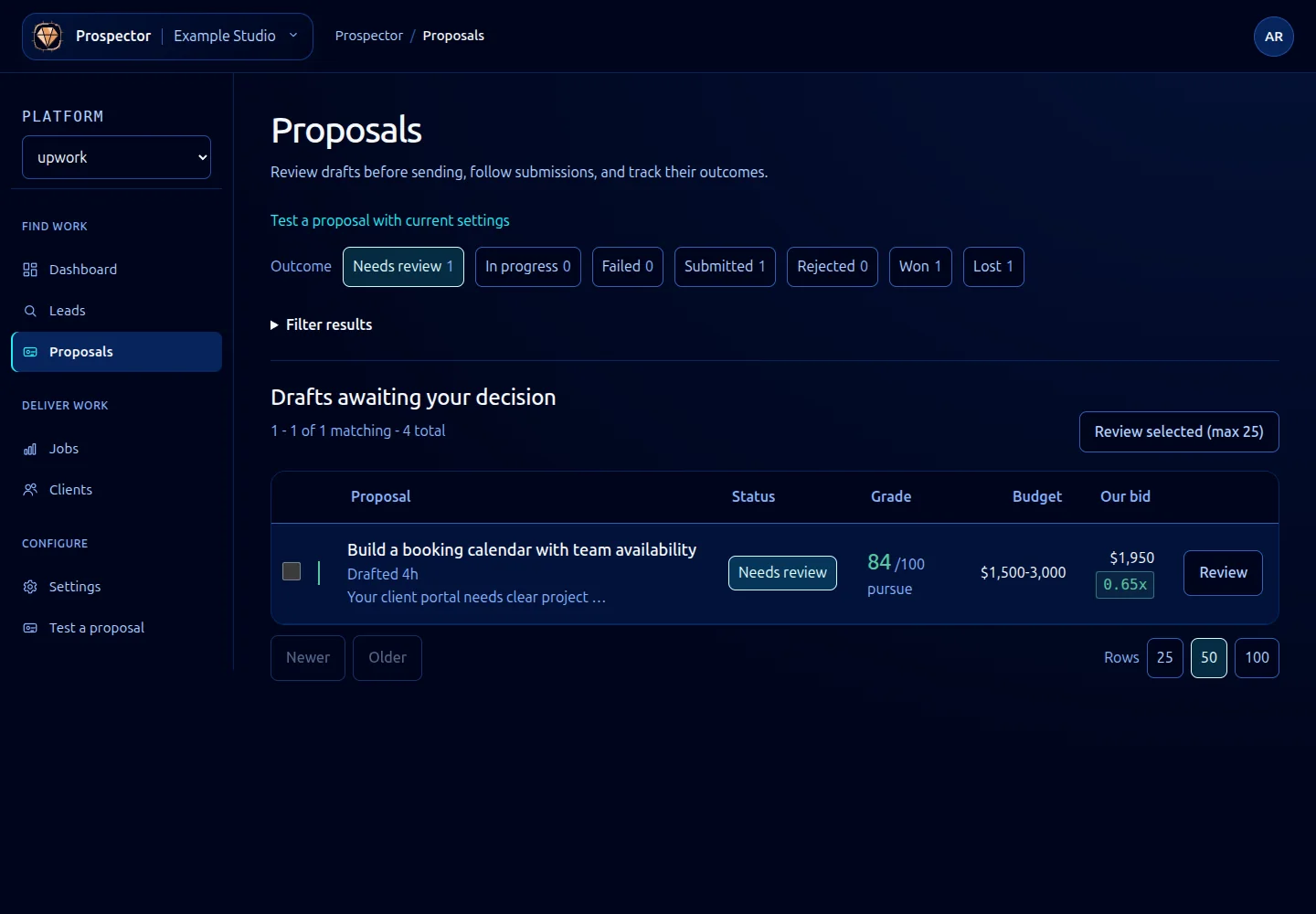
Use Outcome at the top of Proposals to move between queues. Counts describe the current scoped results.
| View | What to do |
|---|---|
| Needs review | Open Review, read the draft and decide whether to submit. |
| In progress | Check a submission that started but has not completed before attempting another action. |
| Failed | Open the record, read the failure and resolve the connection or submission problem. |
| Submitted | Track the proposal, record genuine client activity and record its eventual outcome. |
| Rejected | Review proposals that were rejected in the workflow. |
| Won | Open the resulting job and follow delivery. |
| Lost | Read the recorded reason; a later hire can still be recorded where Record a later win is offered. |
- Select the relevant outcome.
- Expand Filter results if you need to narrow grade or draft age.
- Open a record to inspect its full context and available actions.
- For a sent proposal that did not win, use Mark lost and choose an accurate reason. Silence and an explicit rejection should not be recorded as the same thing. Record rejection changes proposal status; Mark lost closes the opportunity with a loss reason.
An empty view can be normal. Check filters and workspace before assuming records are missing. A signal such as Viewed or Replied does not itself change the lifecycle stage; see Proposal signals.
What it looks like