Navigation
Prospector access. Public access is not open. This product is separate from initial Identity and Apparatus access.
Screenshots use fictional demonstration accounts. Your data and available actions may differ. Reviewed October 15, 2026.
Deliver work
Ask the lead assistant
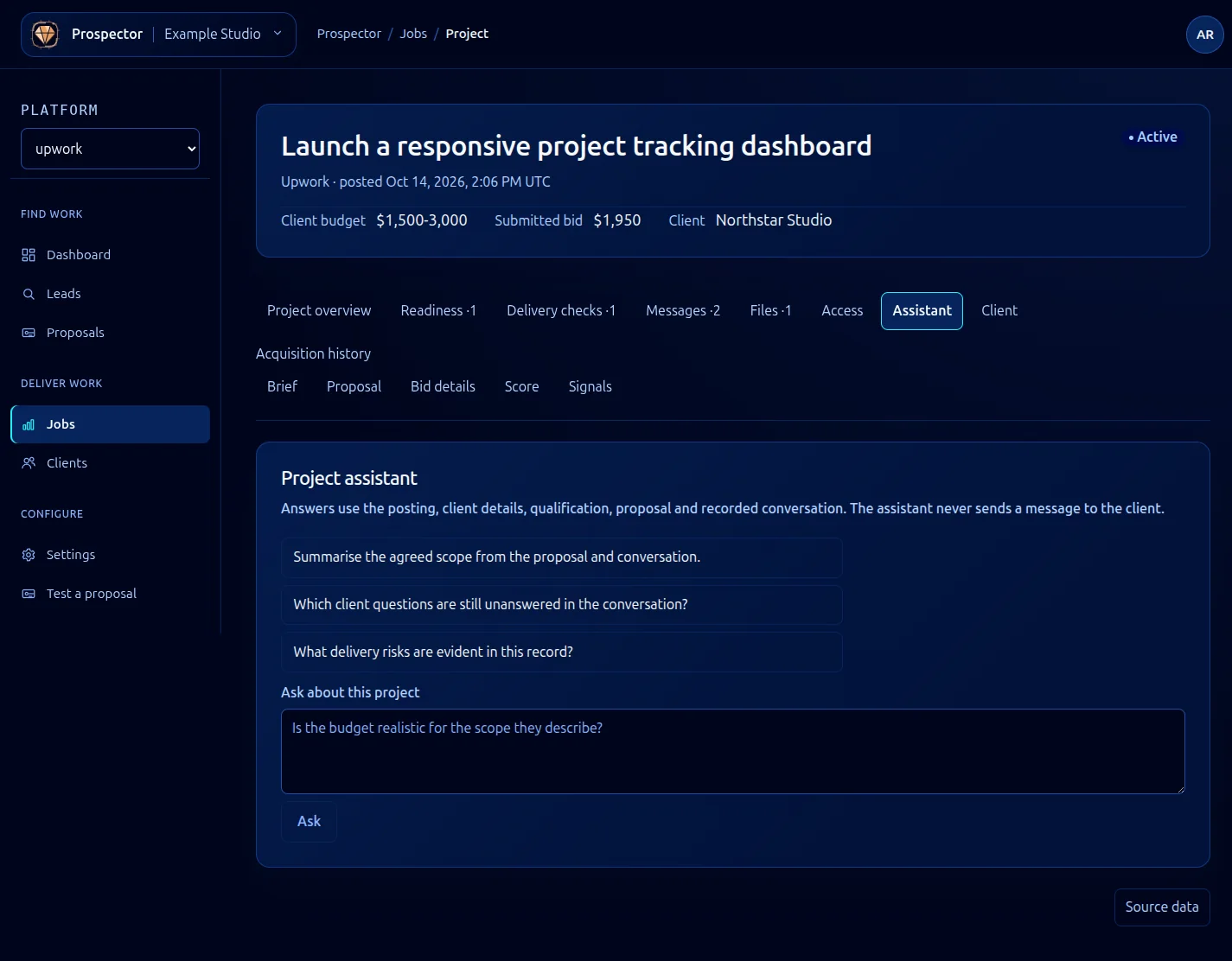
Open a lead or job and select Assistant. The assistant uses the posting, client information, score, proposal and recorded conversation.
- Read the available suggested questions, which change with the stage: active projects offer delivery and handoff questions
- Choose a suggestion or enter your own question in the question field.
- Select Ask and wait for the response.
- Compare the answer with the brief and client conversation before acting on it.
Asking uses AI processing. The assistant never sends a message or proposal to the client. Its response is advice based on the stored context, which can be incomplete or out of date.
If important context is missing, add an accurate conversation entry or review the source posting. If the service returns an error, preserve your question and retry after checking availability. Do not treat a failed response as an empty or negative assessment.
What it looks like