Navigation
Prospector access. Public access is not open. This product is separate from initial Identity and Apparatus access.
Screenshots use fictional demonstration accounts. Your data and available actions may differ. Reviewed October 15, 2026.
Configure
Configure AI processing and submission rules
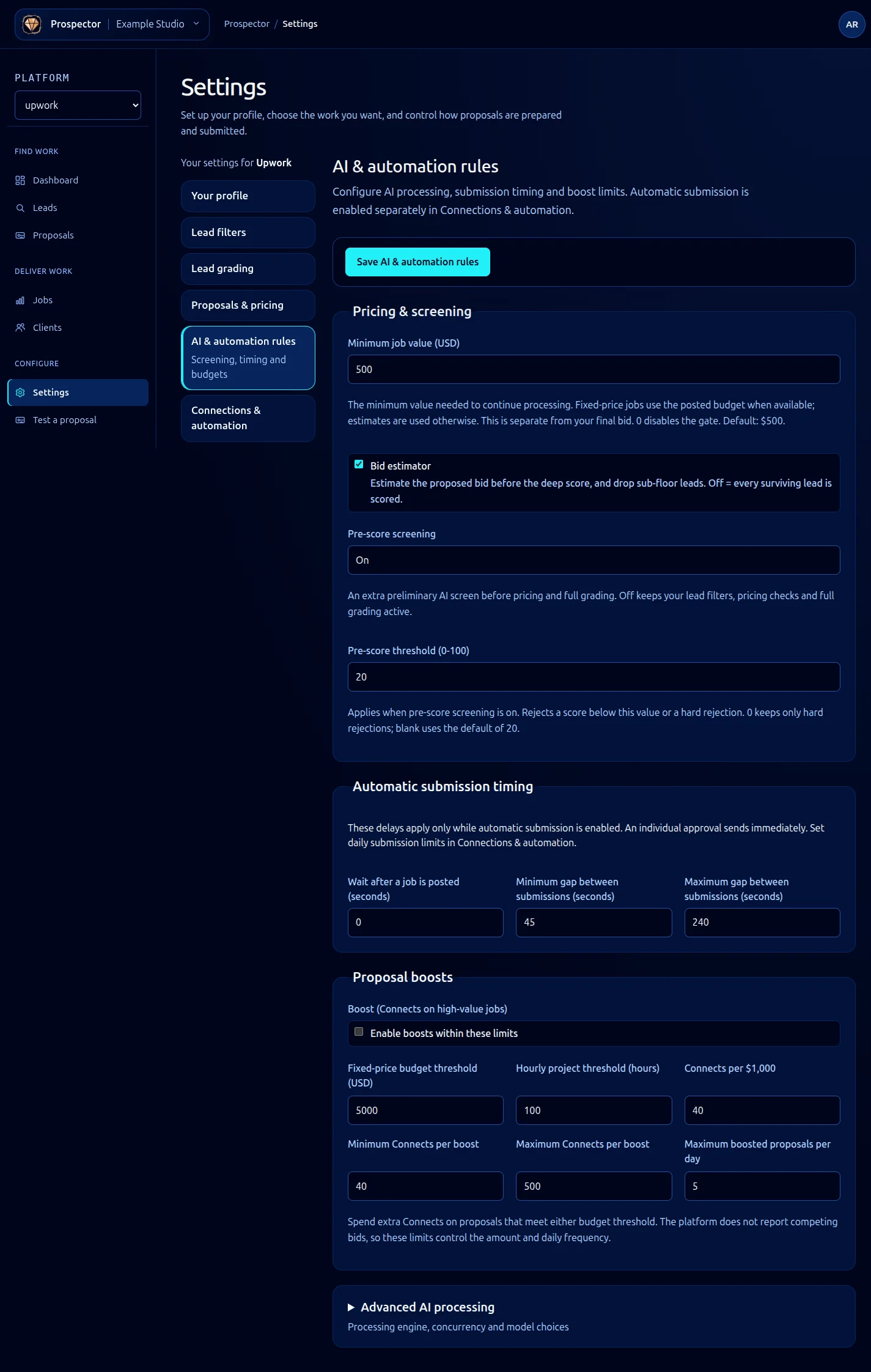
Open Settings → AI & automation rules. Saving this form does not arm automatic submission; that is controlled separately.
- Under Pricing & screening, set Minimum job value (USD), the bid estimator and pre-score screening. Zero disables the minimum-value gate. With pre-score enabled, review its threshold and the help for blank or zero values.
- Under Automatic submission timing, set the wait after posting and the minimum and maximum gaps. These apply to automatic submission; an individual approval sends immediately.
- Expand Advanced AI processing, then choose the proposal engine and whether checks run sequentially or side by side.
- Under Proposal boosts, enable boosts only if intended and review every threshold, Connects amount and daily cap.
- Within that advanced section, use AI models to choose a model for each stage or keep (cortex default).
- Select Save AI & automation rules and wait for the result.
One at a time can avoid paying for later checks after an earlier rejection. Parallel modes can be faster but may use more AI processing. Compare both (queue existing composer) runs the additional writer for comparison while still queuing the existing composer draft.
Boosts spend additional marketplace Connects and have separate limits. AI model costs are different from bid value and Connects. Keep these distinctions clear when reviewing budgets.
For permission to submit automatically and daily submission caps, follow Control automatic submission. If a save fails, correct the displayed values and retry; do not assume unsaved settings are active.
What it looks like