Navigation
Prospector access. Public access is not open. This product is separate from initial Identity and Apparatus access.
Screenshots use fictional demonstration accounts. Your data and available actions may differ. Reviewed October 15, 2026.
Configure
Control automatic submission
Open Settings → Connections & automation and read the automation status. Off means future proposals need individual approval. On allows qualifying proposals within your caps to submit without a click for each one.
- Review your profile, grading, proposal style, pricing and account connection first.
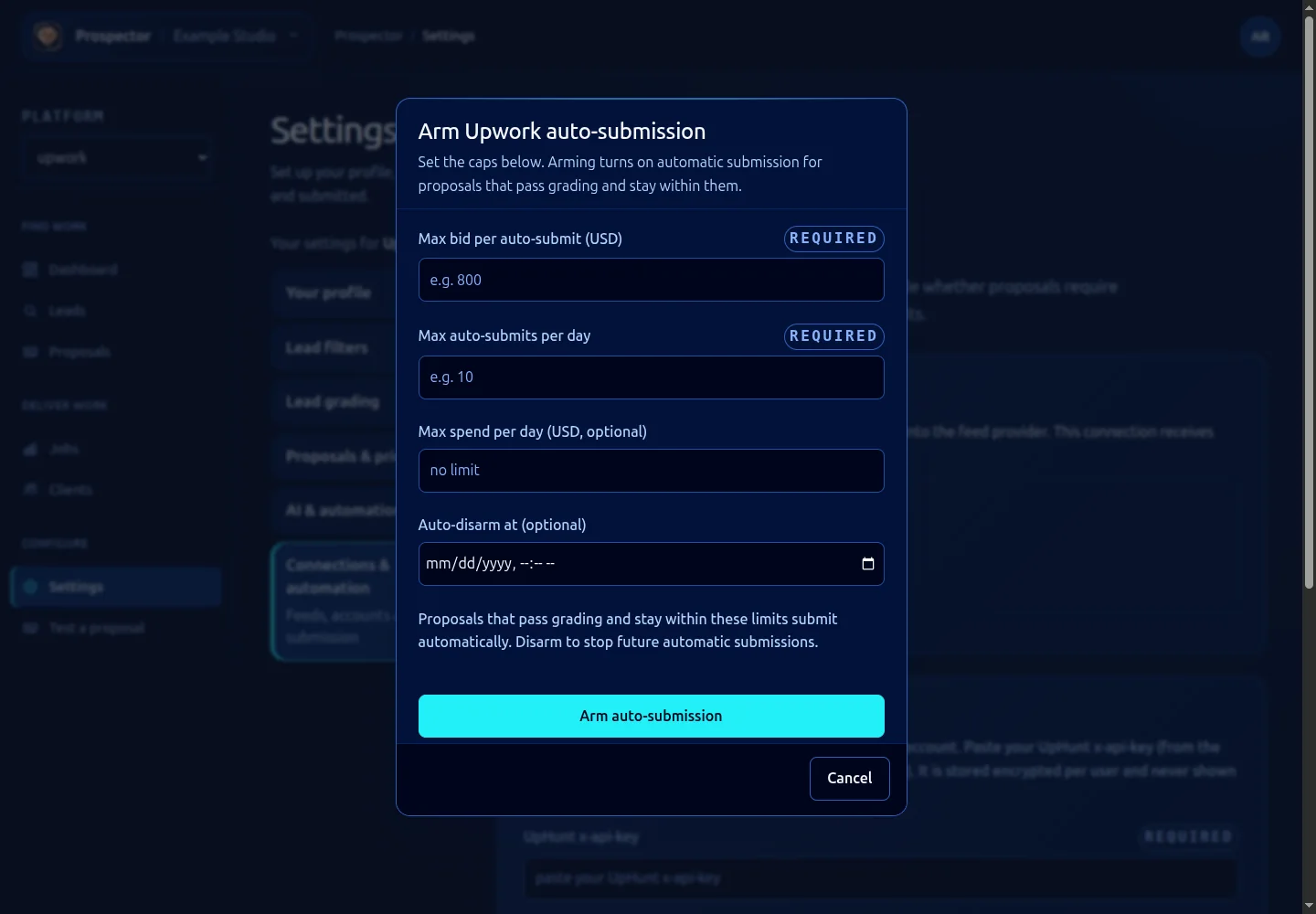
- Select Arm auto-submission to open the limits form.
- Set Max bid per auto-submit (USD) and Max auto-submits per day.
- Optionally set Max spend per day (USD, optional) and Auto-disarm at (optional). Read the displayed time and verify the intended expiry.
- Confirm the arming action only when you intend to grant this standing permission. Cancel closes the form without arming.
- Check that the panel reports On and review its recorded limits.
The panel’s spending cap counts submitted bid value. It is not the Cortex bill, a Connects allowance or a guarantee of money earned. The display labels the rolling bid-value window separately from the submission count.
Use Disarm to stop future automatic submissions. This does not undo proposals already sent. Update caps through the available limits control when armed, and verify the saved result.
Submission delays and boost settings live in AI & automation rules. Manual approval sends immediately, so those delays do not provide a waiting period after you confirm a manual submission.
What it looks like