Navigation
Prospector access. Public access is not open. This product is separate from initial Identity and Apparatus access.
Screenshots use fictional demonstration accounts. Your data and available actions may differ. Reviewed October 15, 2026.
Find work
Find and filter leads
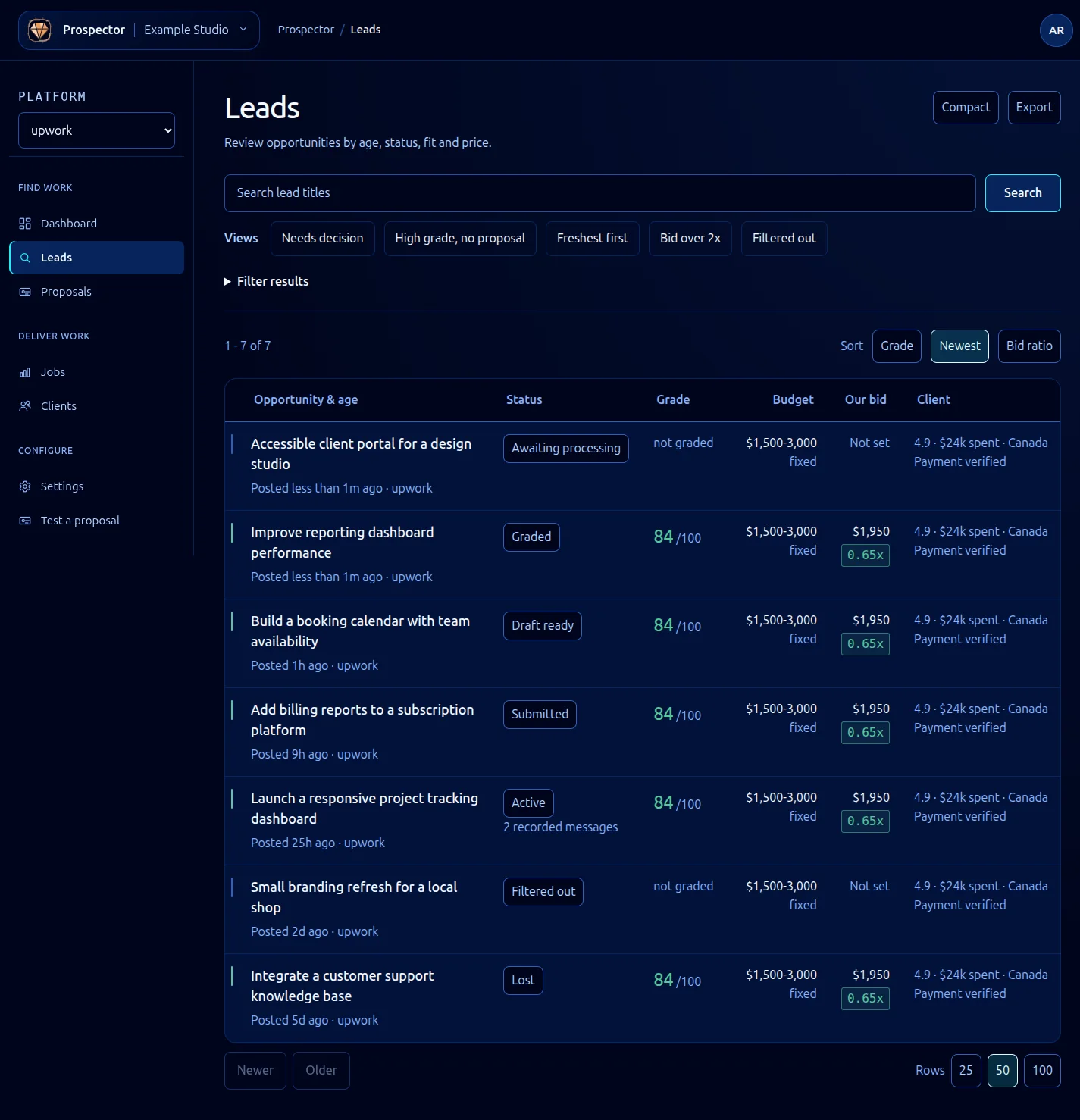
Open Leads to see ingested opportunities for the current workspace and platform.
- Enter part of a lead title in the search box and select Search.
- Use a named view such as Needs decision, High grade, no proposal, Freshest first, Bid over 2x or Filtered out as a starting point.
- Expand Filter results to refine stage, grade, budget, bid ratio, job type, client, conversation, signals or age. The active URL preserves the selection.
- Use Sort, Rows, Newer and Older to control the result list. Compact changes row density.
- Open a lead title to review its record.
The opportunity title and posting age appear together in the first column. A single Status column shows the current stage. When the source has no posting time, the row identifies the received time instead.
Grade is the weighted qualification result, not a client rating. Our bid is the proposed price; the ratio compares it with the client’s budget. not graded means there is no grade to show. Filtered out is a pipeline outcome, not a deleted record.
If no leads match, use Clear filters and search again. If the unfiltered list is empty, check the workspace, platform and discovery feed. Export is available from this list; handle exported client and proposal information as private workspace data.
What it looks like