Navigation
Prospector access. Public access is not open. This product is separate from initial Identity and Apparatus access.
Screenshots use fictional demonstration accounts. Your data and available actions may differ. Reviewed October 15, 2026.
Deliver work
Attach project credentials
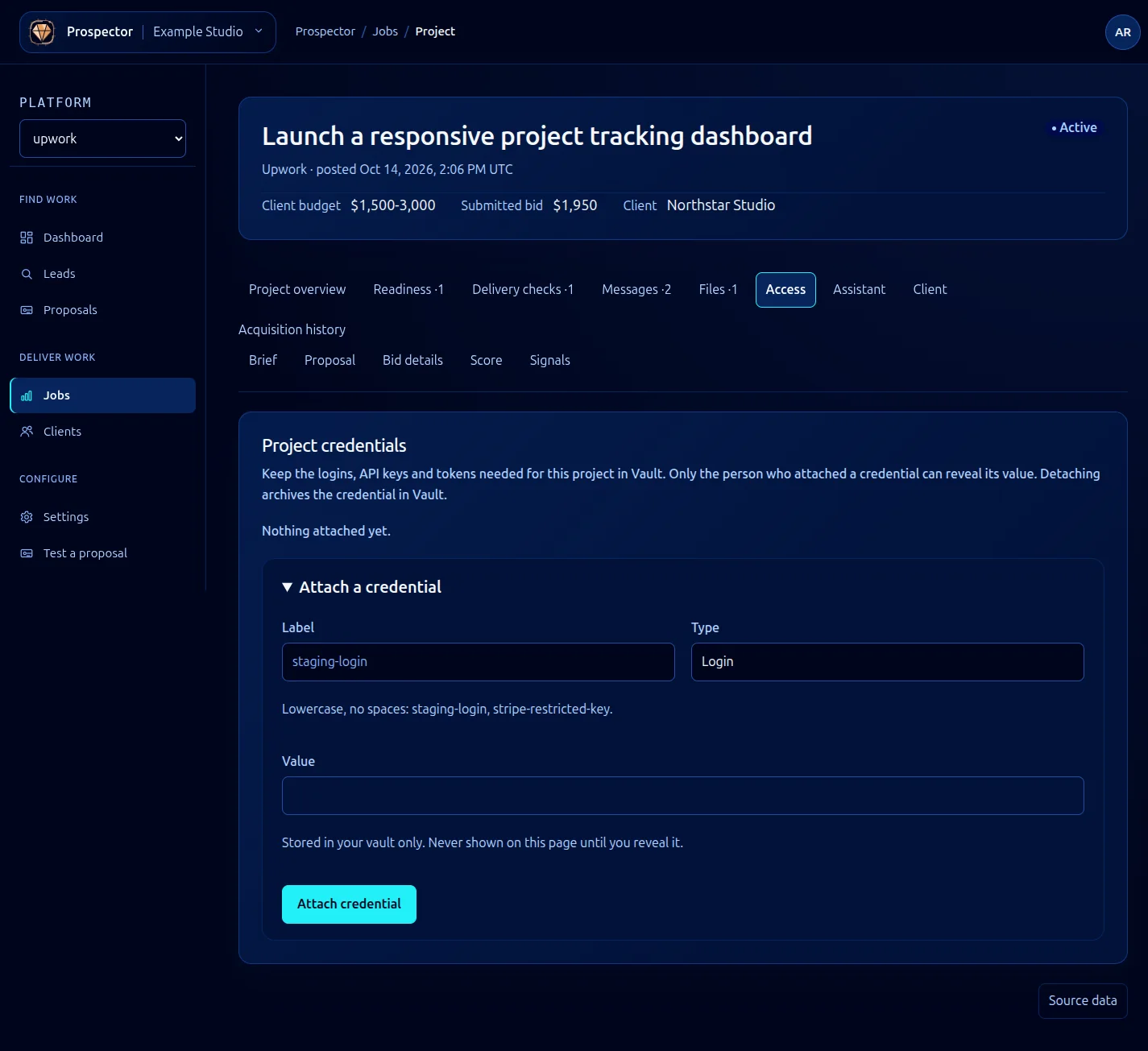
Open a won job and select Access. This area keeps the project’s credentials in Vault, rather than in proposal or conversation text.
- Review the existing attachments, then expand Attach a credential and enter a short Label such as
staging-login, using lowercase text without spaces. - Choose Type: API key, Login, SSH key, Token or Other.
- Enter the credential in Value and select Attach credential.
- Confirm the attachment appears. Values are not displayed automatically after attachment.
Only the person who attached a credential can reveal its value. Use the available reveal control only when you need the secret for the project, and keep it out of screenshots and support messages.
Detaching archives the credential in Vault. Do it when the attachment is no longer needed, not simply to hide a value on screen. Credential operations require Vault access and availability; read any error before retrying.
The screenshot deliberately has no credential value. For account and access boundaries, see Security and access.
What it looks like