Navigation
Screenshots show the released Identity interface with fictional demonstration accounts. Reviewed October 15, 2026.
Platform administration
Read system health
Required access: platform administration. Choose System health in the Operator sidebar.
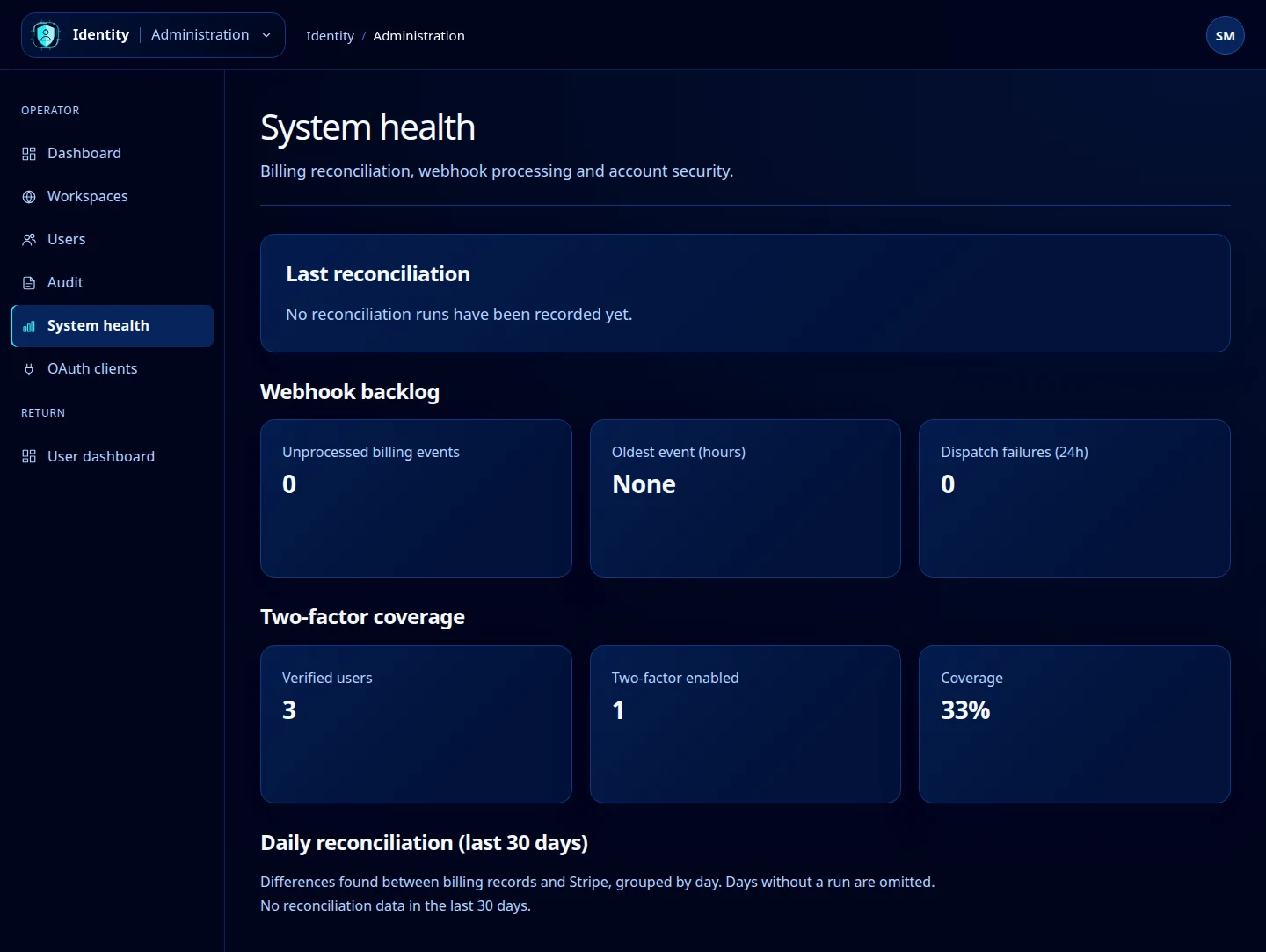
Review the indicators
- Last reconciliation shows the latest recorded billing comparison. No recorded runs means there is no run to report; it is not a successful reconciliation result.
- Webhook backlog shows unprocessed billing events, the oldest event’s age in hours, and dispatch failures over the last 24 hours.
- Two-factor coverage compares verified users with accounts that have enrolled an authenticator.
- Daily reconciliation (last 30 days) summarizes recorded differences by day. Days without a run are omitted.
Open this screenshot at full size.
Investigate an unexpected result
Refresh the page to obtain current values. If billing events are accumulating or a reconciliation reports differences, record the time and relevant counts, then inspect related audit events and the operational billing workflow. A zero backlog alone does not establish that every external service is healthy.
To inspect accounts without two-factor enabled, use the Not enabled filter on Users.
This page is an inspection view. It does not contain buttons to run reconciliation, retry a webhook, change billing data or force a user to enroll two-factor authentication.