Navigation
Screenshots show the released Identity interface with fictional demonstration accounts. Reviewed October 15, 2026.
Platform administration
Manage OAuth clients
Required access: platform administration. These controls affect an application’s access across the platform. To end only your own authorization, use App connections.
Find a client
- Choose OAuth clients in the Operator sidebar.
- Set Client status to All, Untrusted (DCR-registered), Trusted (promoted or operator), or Revoked.
- Select Apply.
- Review Client ID, name, grant types, trust and registration date.
The page shows up to the 200 most recent matches. The application name is descriptive; use its Client ID to distinguish similarly named entries.
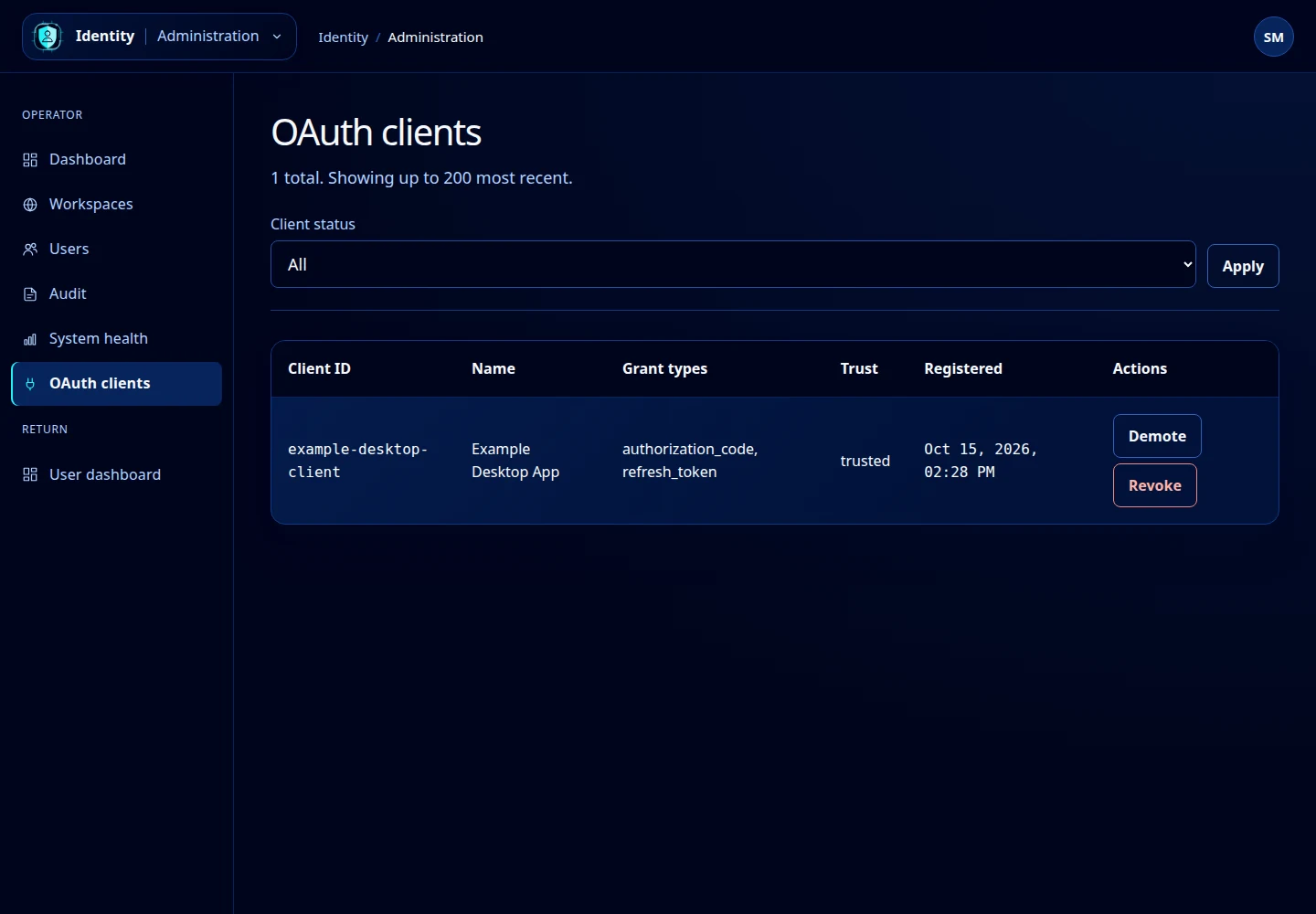
Open this screenshot at full size.
Change trust
Select Promote on an untrusted client to mark it trusted, or Demote on a trusted client to mark it untrusted. These actions apply directly. Check the updated Trust value before continuing.
Trust describes the registered application’s status. It does not make a user a workspace administrator or bypass the permissions in an authorization request. Review the application’s ownership and intended use before changing its trust.
Revoke a client
- Confirm the Client ID and name.
- Select Revoke.
- Read and accept the confirmation: all issued tokens for the client will be revoked.
- Check that its row shows Revoked.
This can interrupt users and integrations using the application. The current list does not provide an undo/re-enable action or a form for registering a new client. If a change fails, refresh and review the actual state before retrying.