Navigation
Screenshots show the released Identity interface with fictional demonstration accounts. Reviewed October 15, 2026.
Your account
Authorize an app
Before you start: begin the connection from the tool or client you intend to use. You do not need to construct an authorization URL yourself.
Review the request
- Complete GhostStack sign-in if asked.
- On Authorize [app name]?, check the app name.
- Read Permissions requested and Target resource.
- Check the Account and Workspace shown. These determine whose access and which workspace the app will use.
- Select Approve to continue the connection, or Deny to decline it.
Approval returns control to the requesting client. Finish any remaining steps there. Only approve a connection you recognize and intended to start.
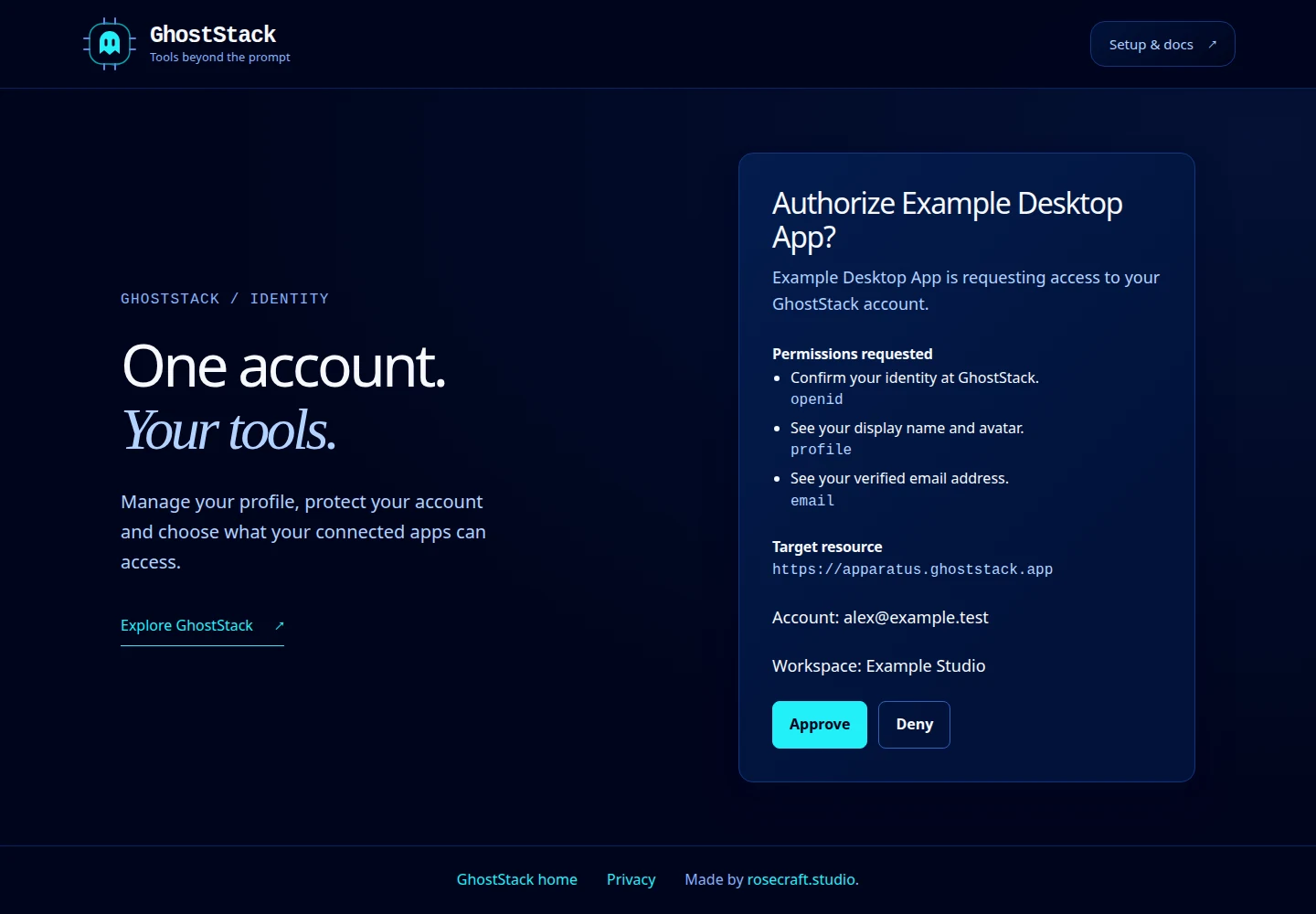
Open this screenshot at full size.
Wrong account, workspace or expired request
Return to Identity and choose the intended account or workspace, then restart connection from the client. An expired or already-used request may return you to the dashboard. Restarting from the client creates a new request; repeatedly refreshing an old consent URL does not.
After connecting, review or revoke the authorization under App connections. Browser extension pairing and AI-client configuration are explained in the Pilot setup guide.